Ukrposhta eCom — Shipping, Waybills & Tracking
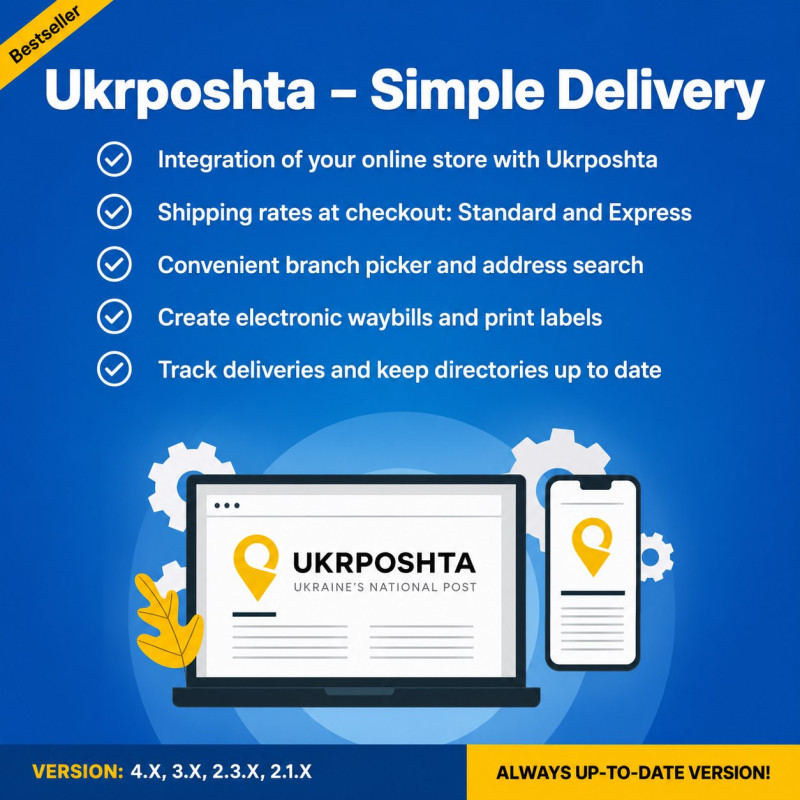
Ukrposhta eCom Module for OpenCart: shipping automation, rate calculation, creation and printing of waybills from the admin panel, branch selection, and automatic status tracking.
Available Options
Tags: Ukrposhta OpenCart module, Ukrposhta E-commerce OpenCart, Ukrposhta shipping in OpenCart, Ukrposhta waybill in OpenCart, Ukrposhta integration in OpenCart, Ukrposhta module for OpenCart 3, Ukrposhta module for OpenCart 4, Ukrposhta label printing, Ukrposhta tracking



.png)
Ukrposhta eCom — Shipping, Waybills & Tracking automates the order workflow from checkout to shipment creation and delivery monitoring.
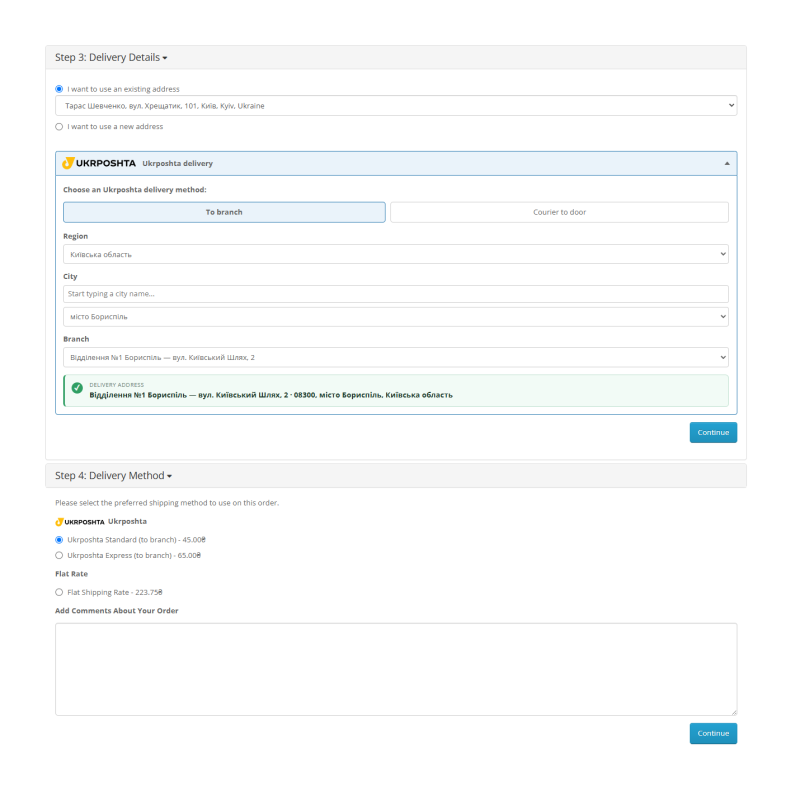
At checkout, customers can choose Ukrposhta delivery to a branch (W2W) or courier delivery to an address (W2D). For branch delivery, the extension provides a guided region, city, and branch selector. Address directories are stored locally, so checkout does not depend on a separate remote API request every time the form is opened.
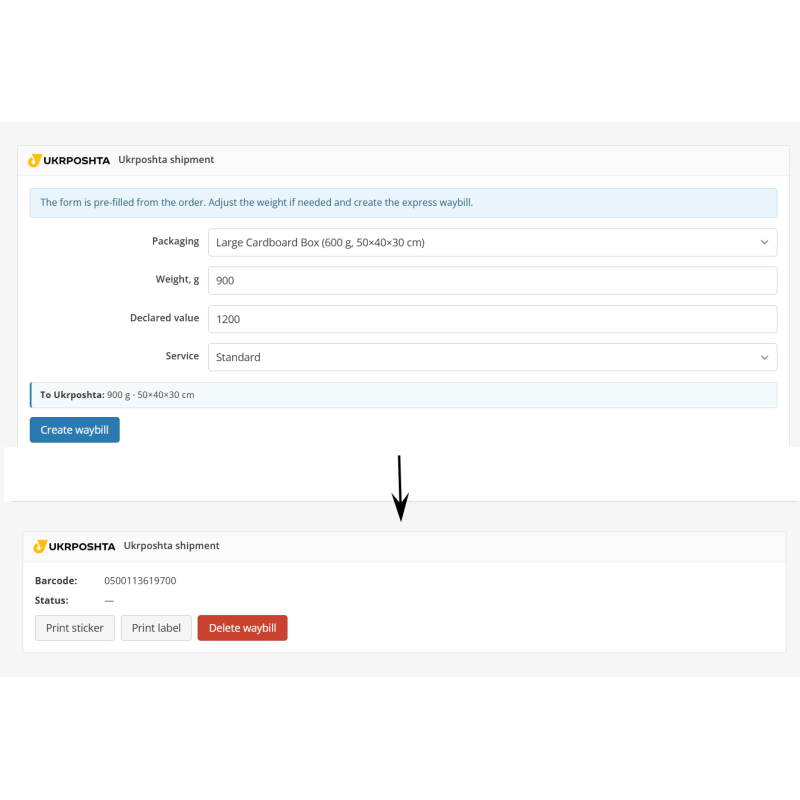
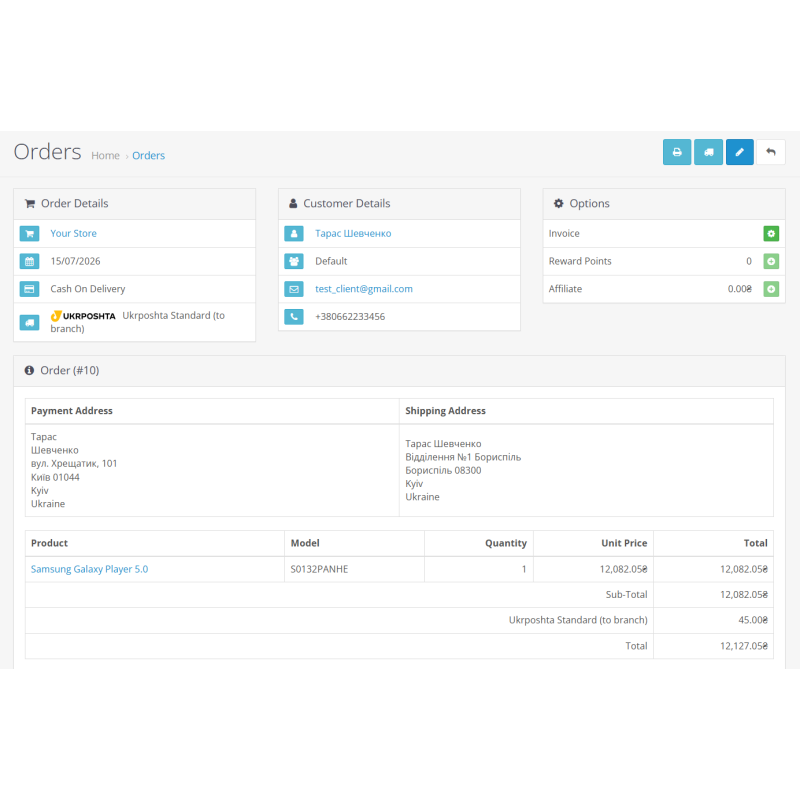
After an order is placed, the store manager can manage the shipment directly from the OpenCart administration area. Recipient details and the delivery address are taken from the order. The manager selects a package, verifies the weight and declared value, creates an electronic waybill, receives a barcode, prints a sticker or address label, and can delete the waybill when required.
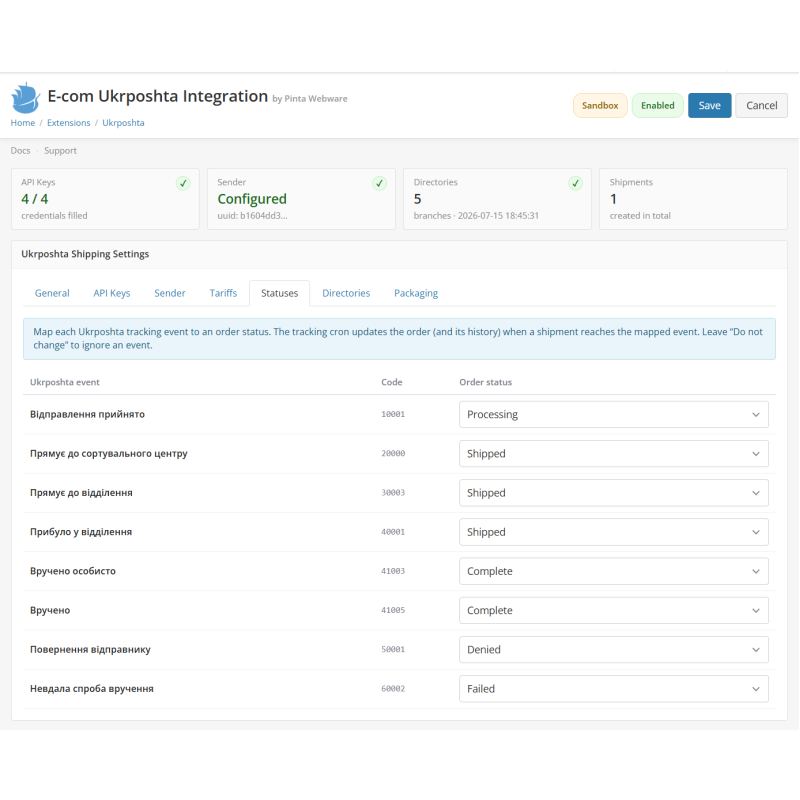
Built-in tracking maps Ukrposhta events to OpenCart order statuses. A cron job checks active shipments, updates the order status, and adds an entry to the order history.
Features
- Ukrposhta Standard and Ukrposhta Express shipping methods;
- Branch delivery (W2W) and courier-to-door delivery (W2D);
- Region, city, and branch selection during checkout;
- Local address directory with batched and resumable synchronization;
- Local rate calculation using editable base rates;
- Live eCom API rate calculation when credentials are available, with a safe fallback to local rates;
- Percentage and fixed-amount markups;
- Free-shipping threshold with a separate option for courier delivery;
- UAH-to-store-currency mapping and shipping-price conversion;
- Electronic waybill creation directly from the OpenCart order page;
- Recipient and address registration using order data;
- Shipment UUID and barcode retrieval;
- PDF sticker and address-label printing;
- Electronic waybill deletion;
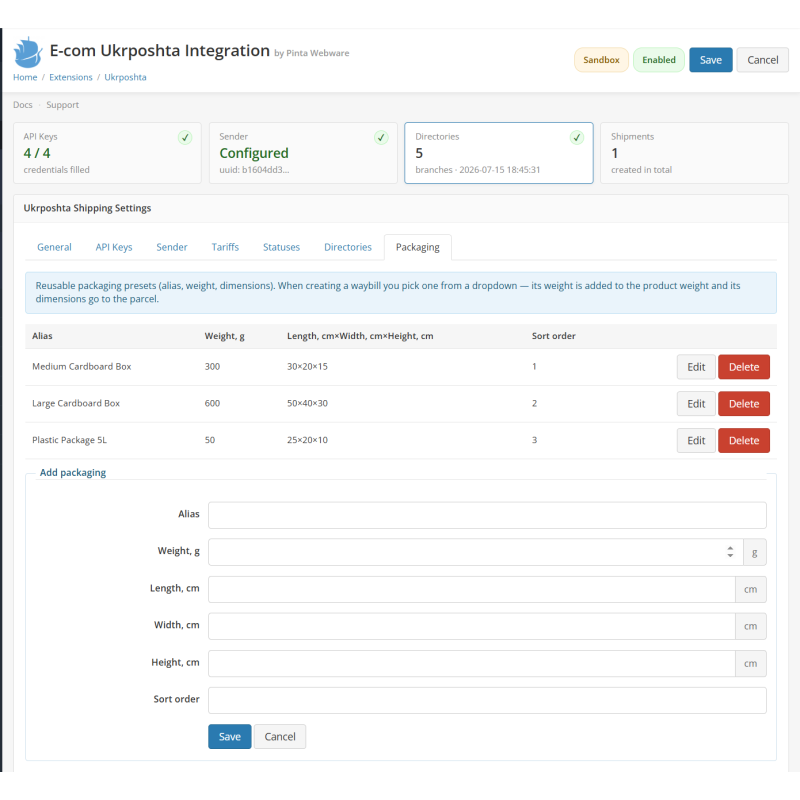
- Packaging directory with alias, weight, length, width, and height;
- Packaging selection before waybill creation;
- Automatic order-status updates using shipment tracking;
- Configurable Ukrposhta event → OpenCart order status mapping;
- Separate Sandbox and Production credentials and endpoints;
- Validation of all four credential entities from the settings page;
- English, Ukrainian, and Russian interfaces;
- Integration without manual OpenCart core-file edits.
Requirements
- A working installation of a compatible OpenCart version;
- A PHP and database version supported by that OpenCart release;
- PHP cURL and ZIP extensions;
- HTTPS for a production store;
- Ukrposhta eCom and StatusTracking credentials (Bearer eCom, Bearer StatusTracking, counterparty token, COUNTERPARTY_UUID);
- Configured cron jobs for directory synchronization and/or shipment tracking.
Installation
OpenCart 4
- Open Extensions → Installer;
- Upload pinta_ukrposhta.ocmod.zip;
- Click Install next to the uploaded package;
- Open Extensions → Extensions and select Shipping;
- Find Ukrposhta eCom — Shipping, Waybills & Tracking and click Install;
- Click Edit to open the module settings.
OpenCart 2.x / 3.x
- Upload the matching .ocmod.zip package through the extension installer;
- Refresh the modification cache when required by your OpenCart version;
- Open the list of Shipping extensions;
- Install Ukrposhta and open its settings;
- Verify that the administrator group has view and modify permissions for the extension routes.
Initial Configuration
Recommended setup order:
- API Keys — select Sandbox or Production, enter the four credential entities, save the settings, and click Validate keys;
- Sender — enter the sender details, resolve the city by postcode, and create the sender in eCom;
- Directories — synchronize regions, districts, cities, and branches;
- Tariffs — select the store currency representing UAH and configure the default weight, rates, markups, and free-shipping threshold;
- Statuses — map Ukrposhta tracking events to OpenCart order statuses;
- Packaging — review the seeded package presets and add custom packages when needed;
- General — select the geo zone, configure non-delivery behavior, and enable the extension;
- Add the directory-sync and tracking cron URLs shown in the General settings.
How It Works
- The customer selects Ukrposhta during checkout.
- For branch delivery, the customer selects a region, city, and branch. For courier delivery, the customer enters a street address.
- The extension calculates the Standard or Express shipping price using the configured rates, currency mapping, and markups.
- The selected delivery mode and address are saved with the order.
- The manager opens the order, selects a package, and verifies the parcel weight and declared value.
- After the electronic waybill is created, the order page displays the barcode and print/delete actions.
- The tracking cron receives delivery events and updates the order according to the configured status map.
Important Notes
- Sandbox and Production use separate credentials and endpoints.
- The Sandbox address classifier provides a reduced test dataset. Full city and branch lists require a production eCom key.
- Before enabling the extension, save and validate the credentials, create the sender, and synchronize the directories.
- Never publish API credentials, counterparty UUIDs, or cron keys in screenshots or documentation.
- Real waybill creation, printing, deletion, and status tracking require valid Ukrposhta credentials.