-800x800.jpg "Google Merchant Shopping Feeds for PrestaShop - Boost Your Ads (1.6-1.7)")
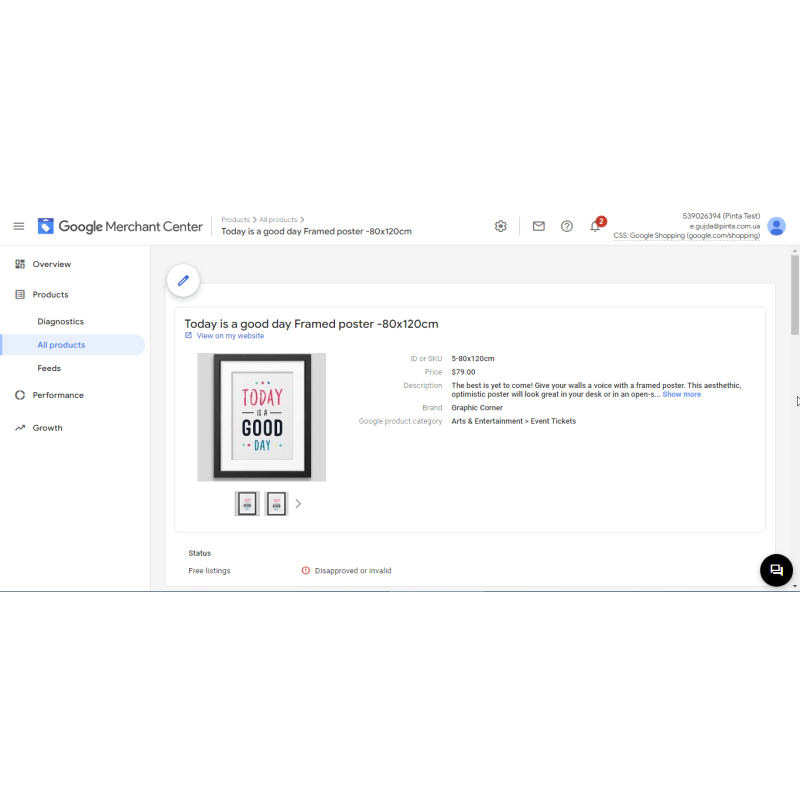
Google Merchant Shopping Feeds for PrestaShop - Boost Your Ads (1.6-1.7)
Create Google Merchant Center feeds for PrestaShop 1.6-1.7. Automate updates, match categories, and boost sales with Shopping and Dynamic Remarketing ads
$49.99
$70.00
Available Options
Tags: product feed, Google Merchant, Merchant feed



.png)
 Overview:
Export your PrestaShop catalogue to Google Merchant Center the right way. Shopping Feed for Google Merchant builds a clean, Google-compliant RSS/XML product feed straight from your shop, ready to submit in Merchant Center for Google Shopping and Performance Max campaigns.
From version 2.0 the module is fully multi-feed: create any number of feeds, each with its own name, status, settings and generation URL, all managed from a single feed-list screen. Every feed carries its own product filter, its own field mapping and its own language/currency variant, so a single PrestaShop install can drive separate feeds for different markets, currencies or campaigns.
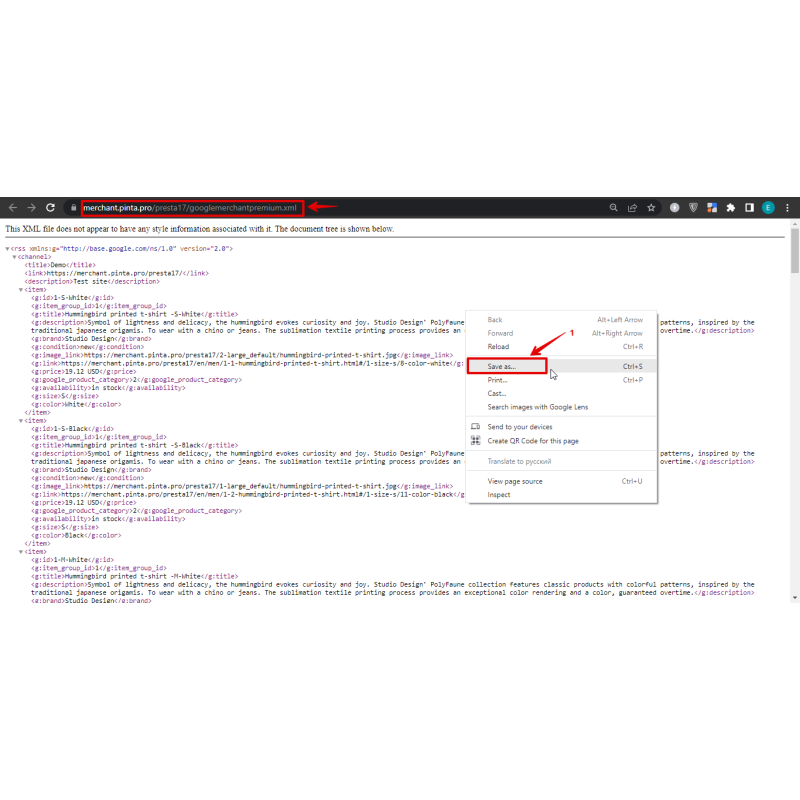
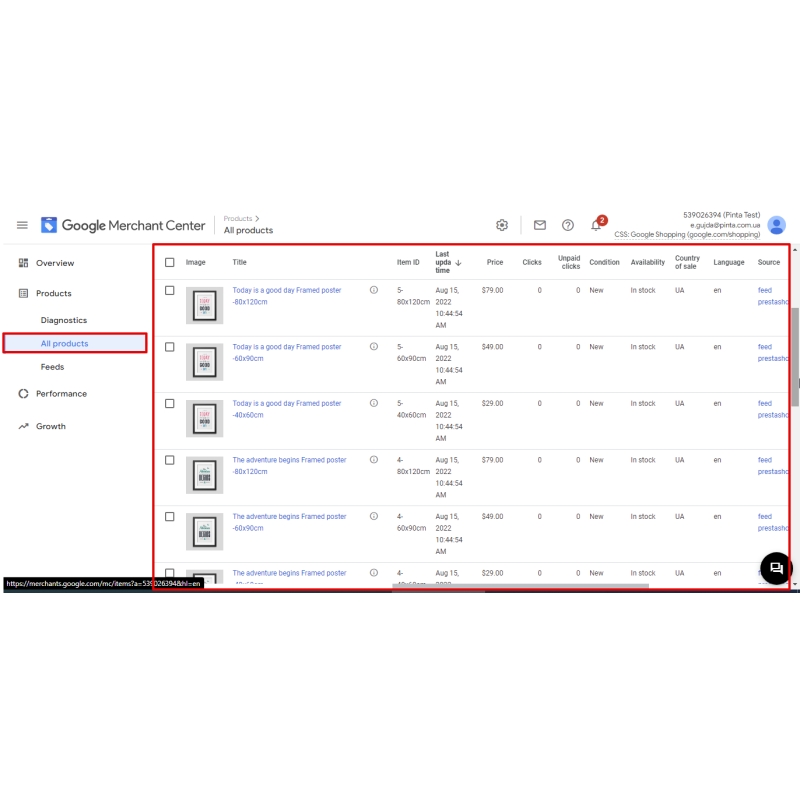
The feed maps PrestaShop products to Google attributes — id, title, description, link, image_link, price, brand, condition, availability, google_product_category, gtin, mpn, item_group_id and custom_label_0 through custom_label_4 — and emits identifier_exists=no automatically when a product has no usable GTIN or brand+MPN, eliminating Merchant Center "missing identifier" warnings. Product variants are exported separately, each with its own link, image and item_group_id grouping; item_group_id is emitted only for real attribute combinations, never on simple products.
Large catalogues are handled with a streamed, memory-safe generator: the feed is written to a cached XML file in batches of 500 products with a flush between batches, so the whole feed is never assembled in memory. Feeds can be regenerated on demand (&refresh=1), served from cache for speed, output as gzip, and generated from cron for hands-off scheduled refreshes. Multistore and the full PrestaShop multilanguage / multicurrency model are supported.
Supported versions:
PrestaShop 1.6 through 8.x and 9.x (ps_versions_compliancy min 1.6 → current).
Key Features (Why choose)
- Multi-feed deployment: configure unlimited feeds, each with its own settings, item filter, and target URL layout.
- Market segmentation: serve localized per-language and per-currency feed variants instantly using one module installation.
- Google ecosystem compliance: fully formats critical requirements including GTIN, MPN, identifier_exists, and item_group_id attributes.
- Customizable data binding: maps custom_label_0..4 nodes alongside vital color, size, material, and pattern attributes.
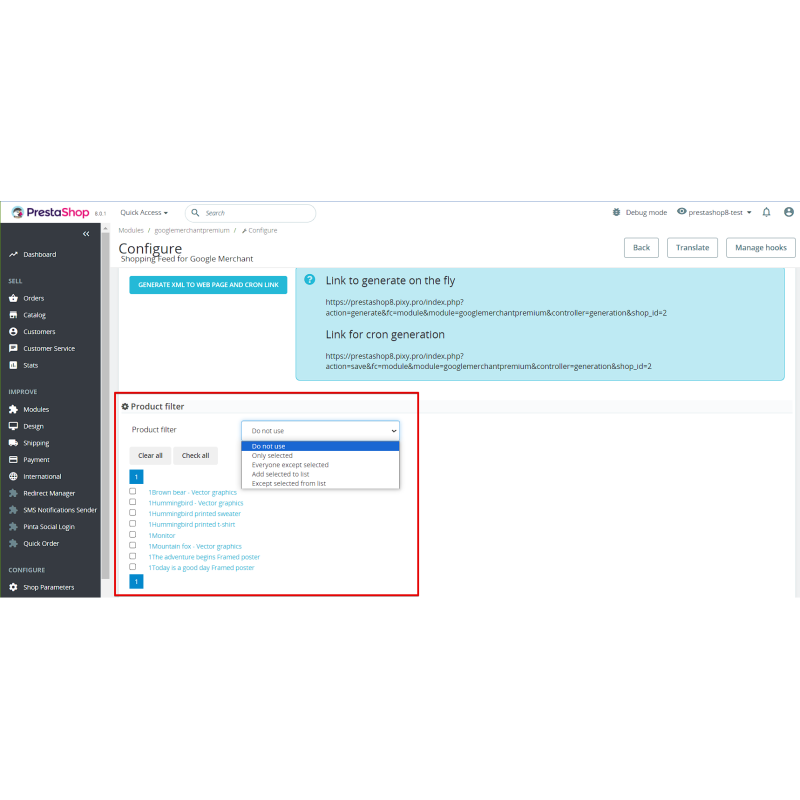
- Granular per-feed product filter: isolate exports by defining active conditions, stock boundaries, brand rules, price limits, or category exclusions.
- Memory-safe generation loops: streaming engine handles very large catalogues effortlessly, paired with optional gzip output.
- Automation ready: cron-ready cached generation endpoints support hands-off multi-store operations.
Feed / Feature Specifics
Emitted Attributes Schema: g:id, g:title, g:description, g:link, g:image_link, g:price, g:brand, g:condition, g:availability, g:google_product_category, g:gtin, g:mpn, g:item_group_id, g:identifier_exists, g:custom_label_0..4
Custom Labels Mapping: bind identifiers custom_label_0..4 cleanly onto chosen attribute groups or store characteristics.
Streaming Engine Parameters: writes cached XML outputs in stable 500-product batches; features optional gzip compression loops; manages automation requests using cron.php command lines.
Data Integrity Design: feed properties are isolated systematically as JSON; idempotent installation routines migrate legacy single-feed profiles safely without data loss.
Dynamic Feed URL Base:
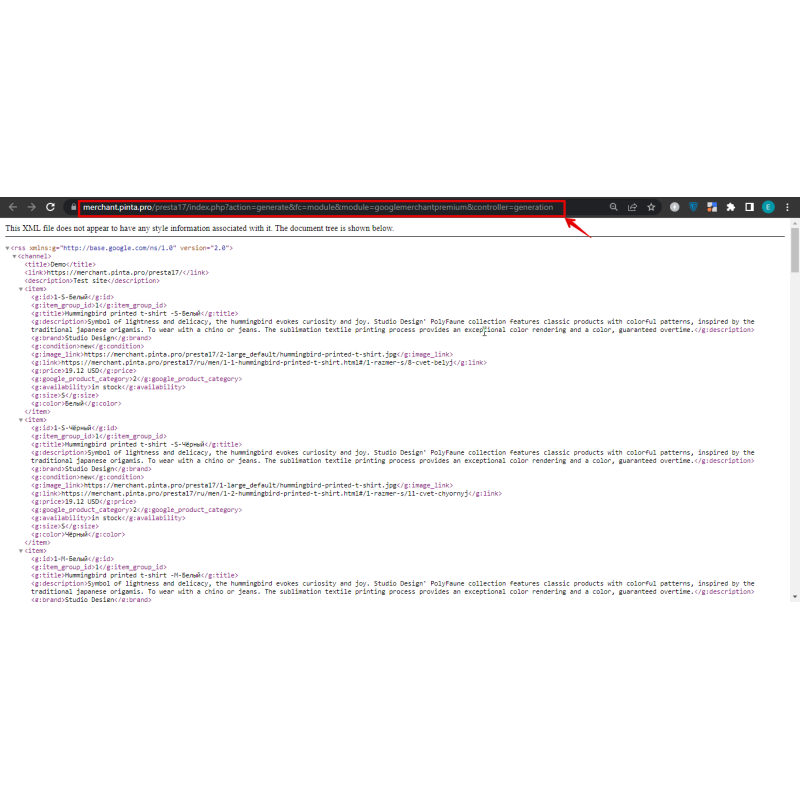
index.php?fc=module&module=googlemerchantpremium&controller=generation&id_feed=N&shop_id=S
Optional parameters: &id_lang=L, &id_currency=C, &refresh=1
Cron Script Structure:
cron.php --shop_id=S --id_feed=N [--gzip]
How to use
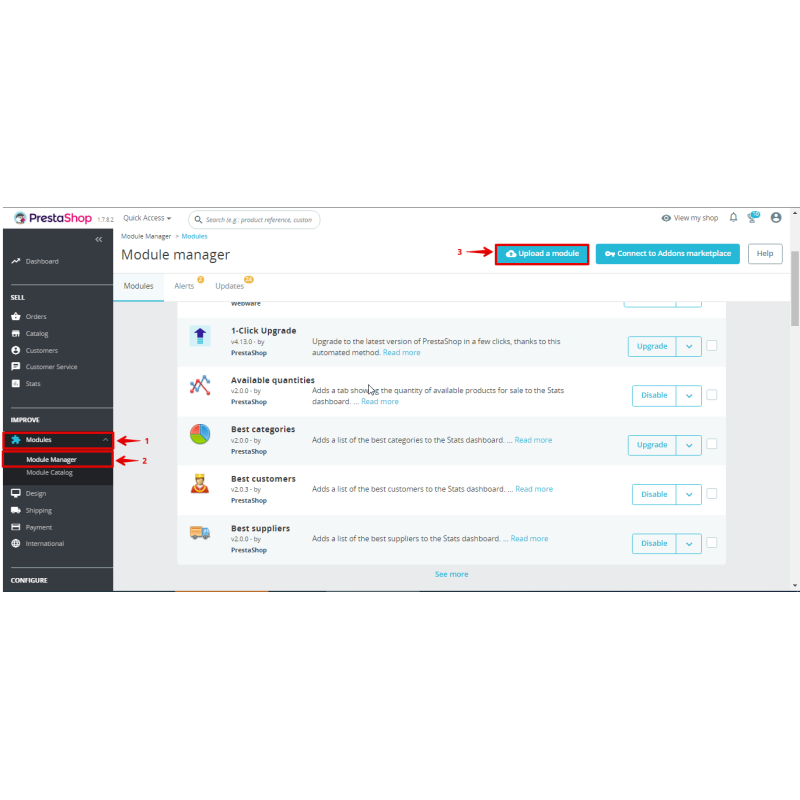
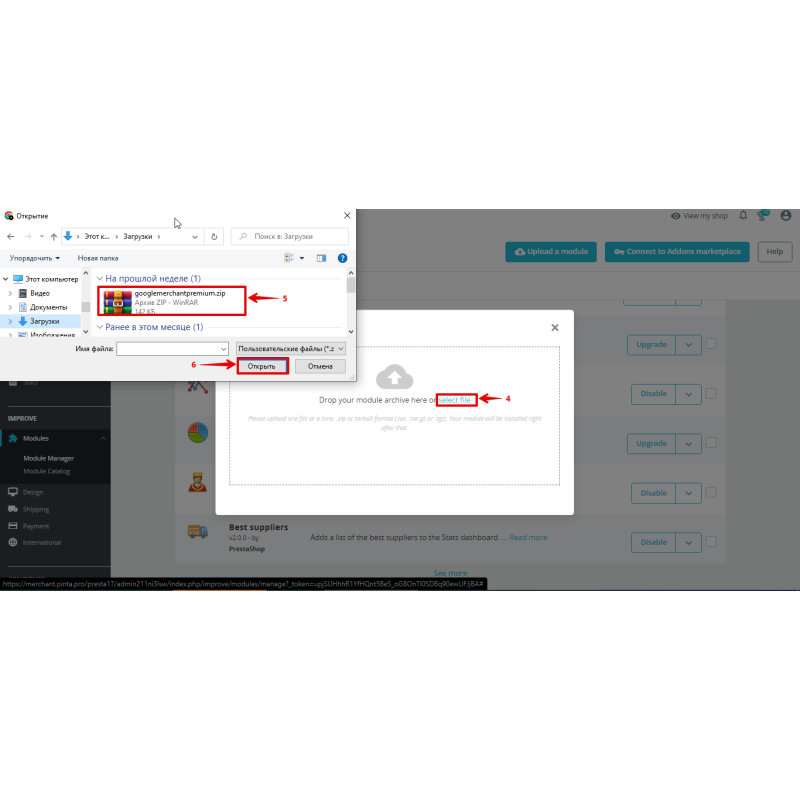
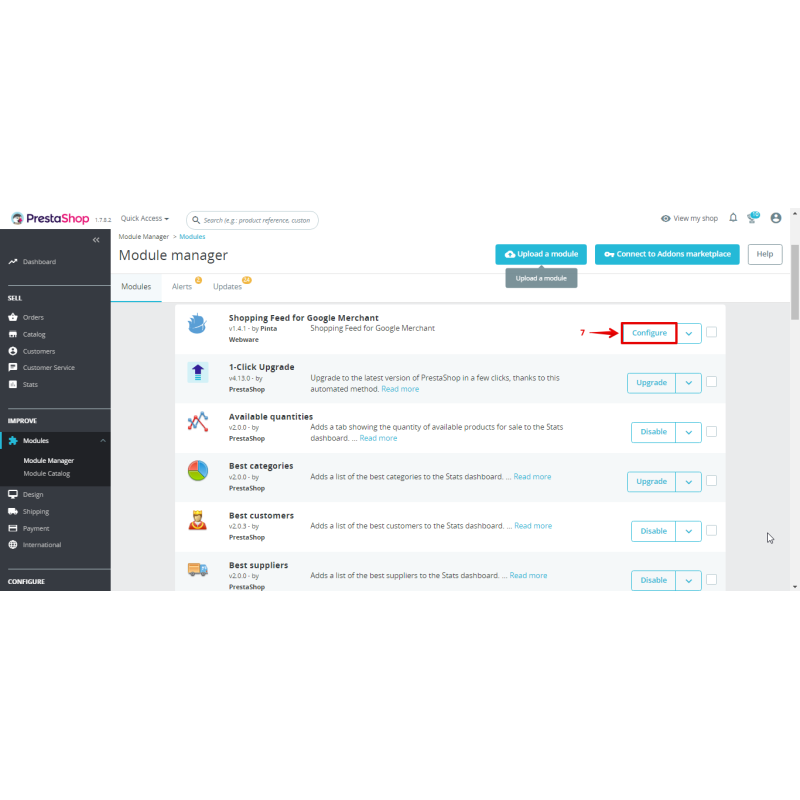
- Upload the add-on package files and execute the standard installation from your Back Office → Modules panel.
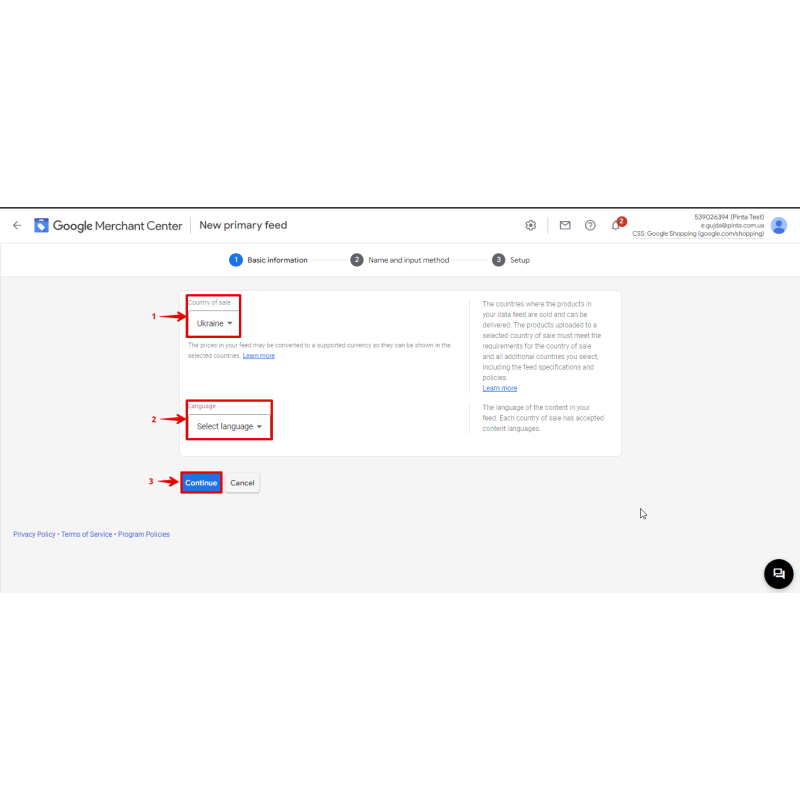
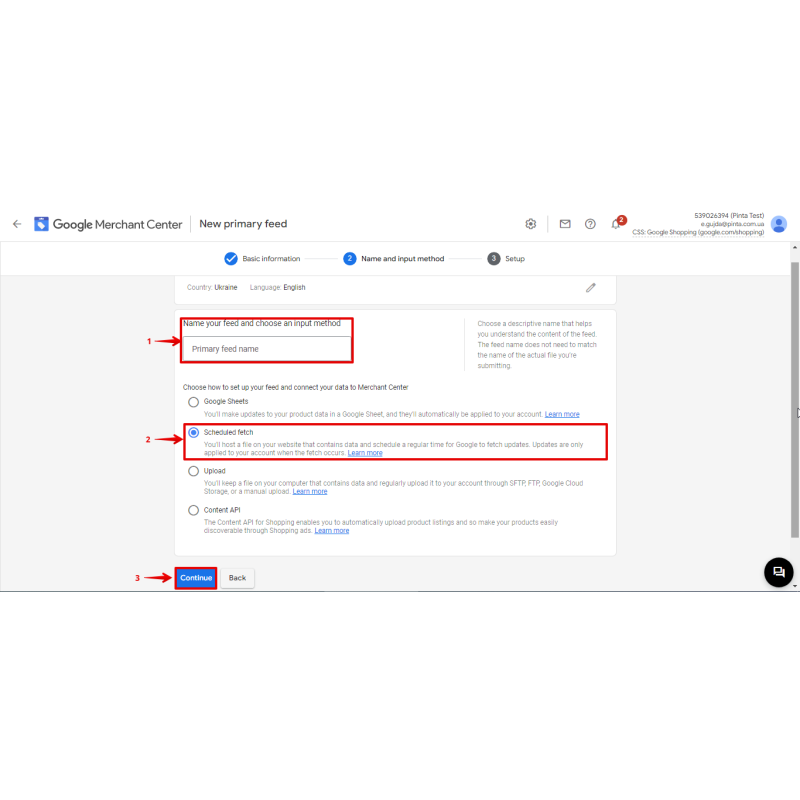
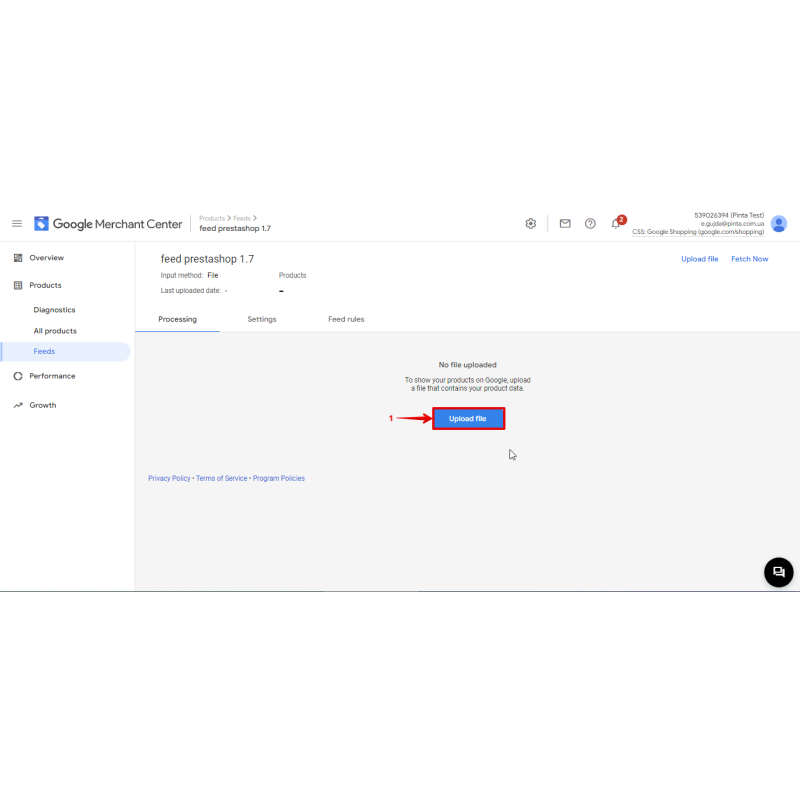
- Open the core configuration dashboard to access your feed list screen; create a new feed profile and allocate its unique name.
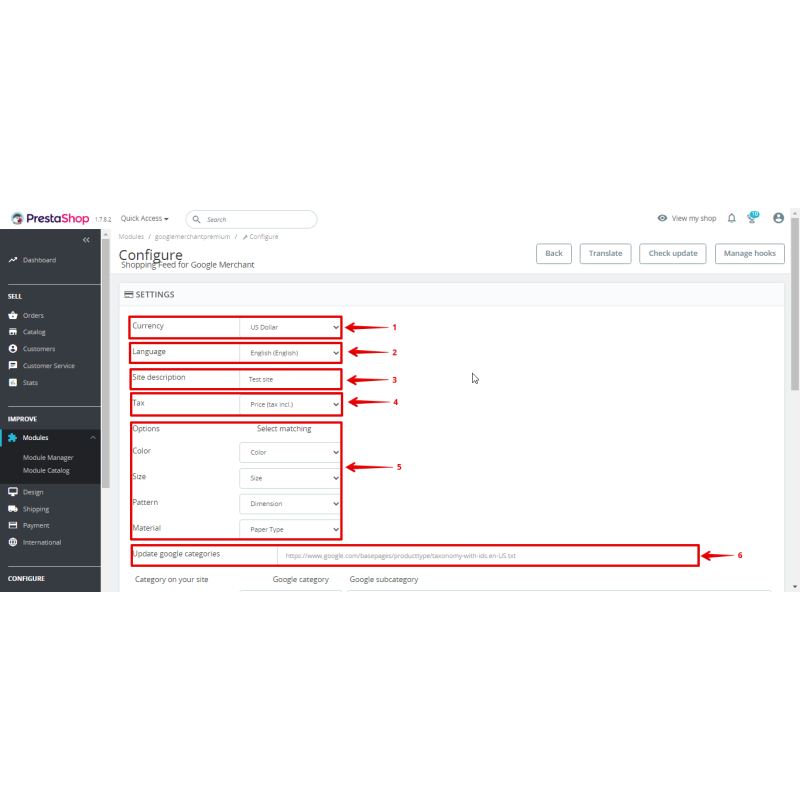
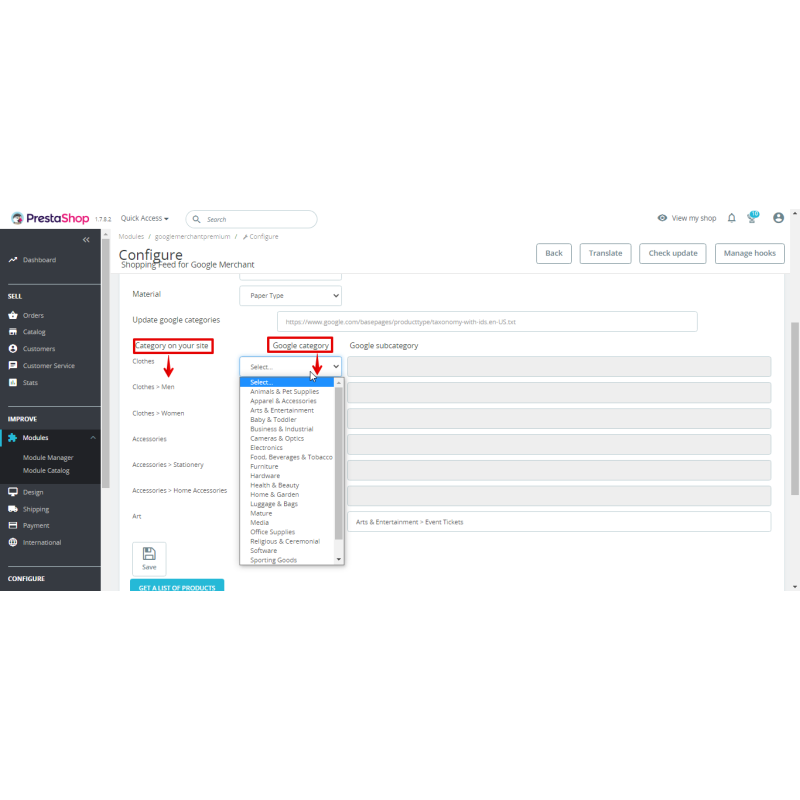
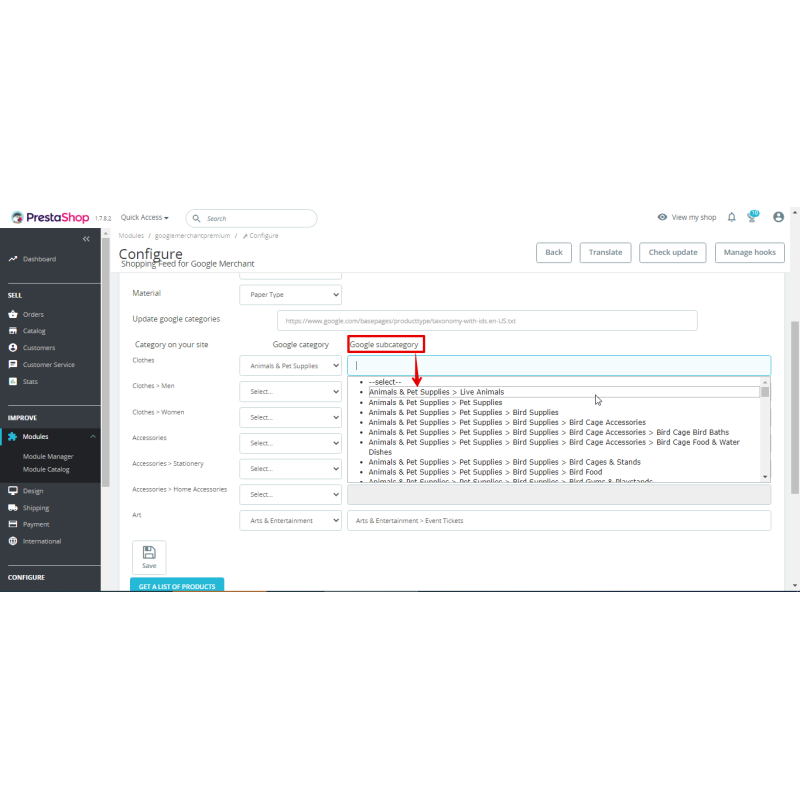
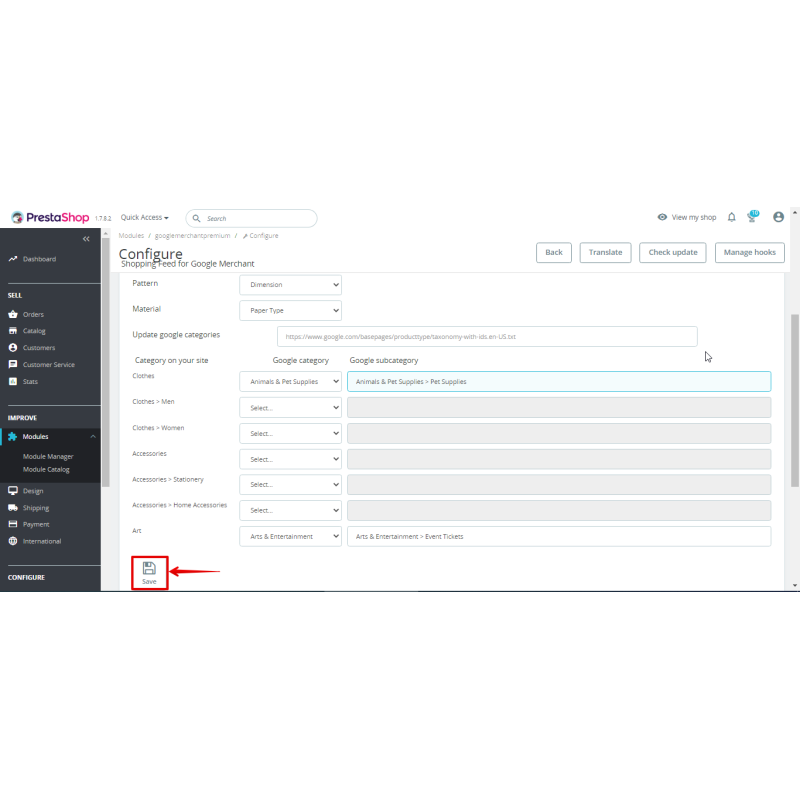
- Align your internal catalog layout to the official Google product category taxonomy; configure your language sets, base currency, tax processing, and database field maps.
- Fine-tune your per-feed product filtering rules (status updates, stock boundaries, manufacturer items, price ranges, or category exclusions) if required.
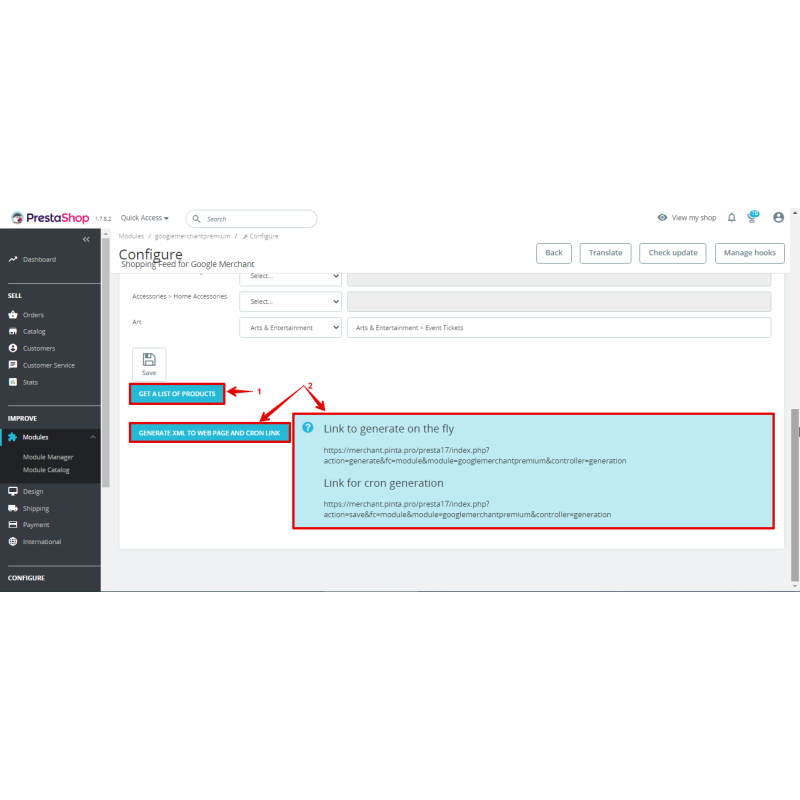
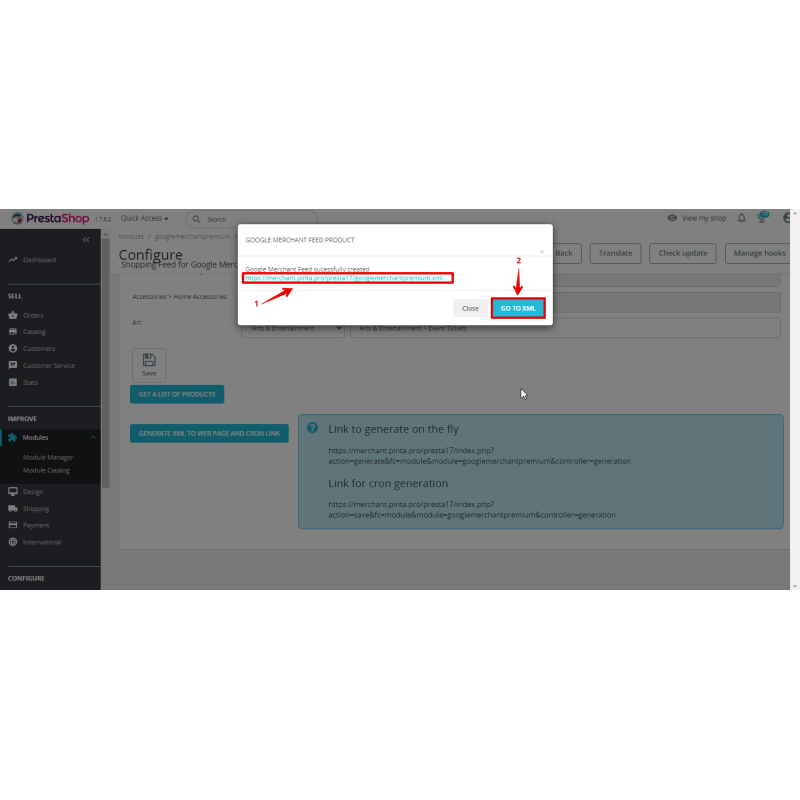
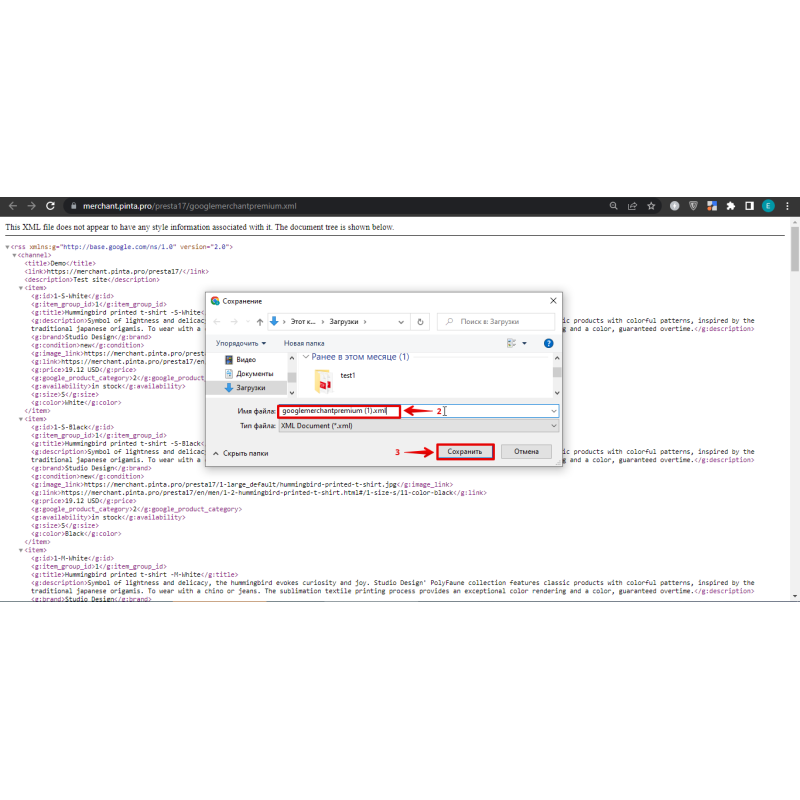
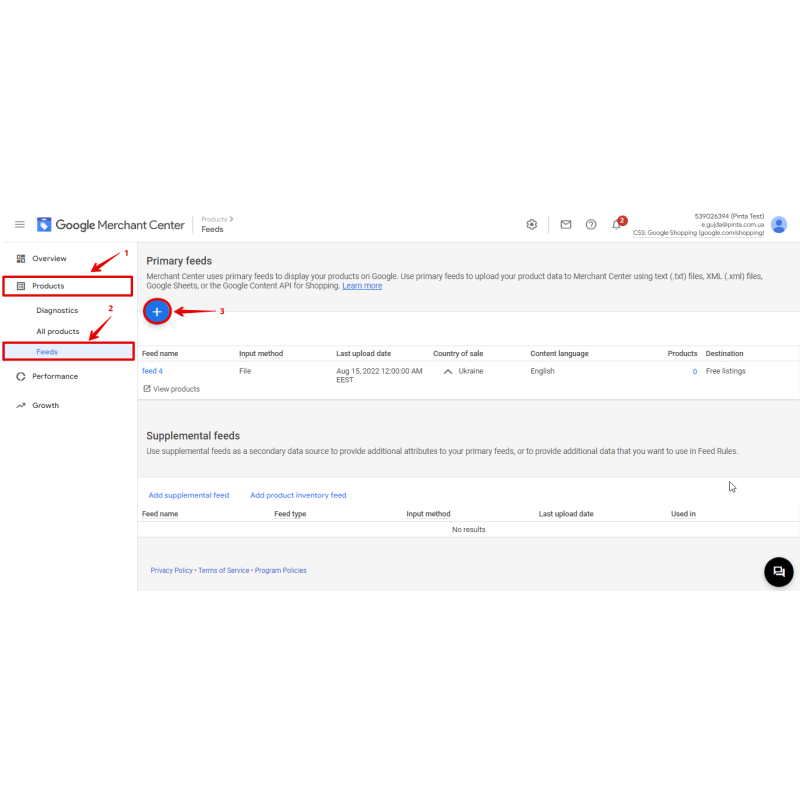
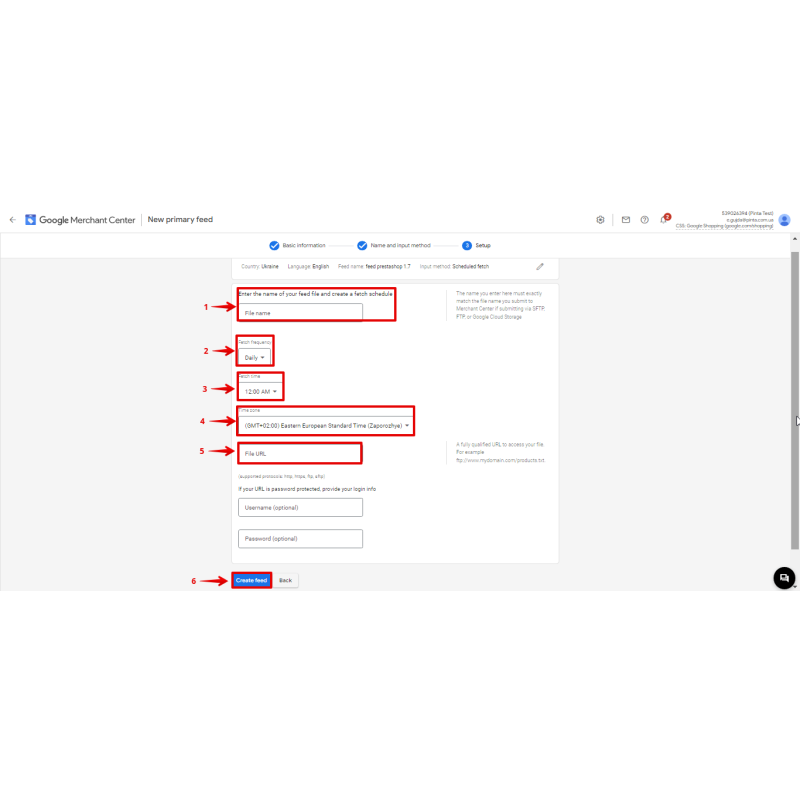
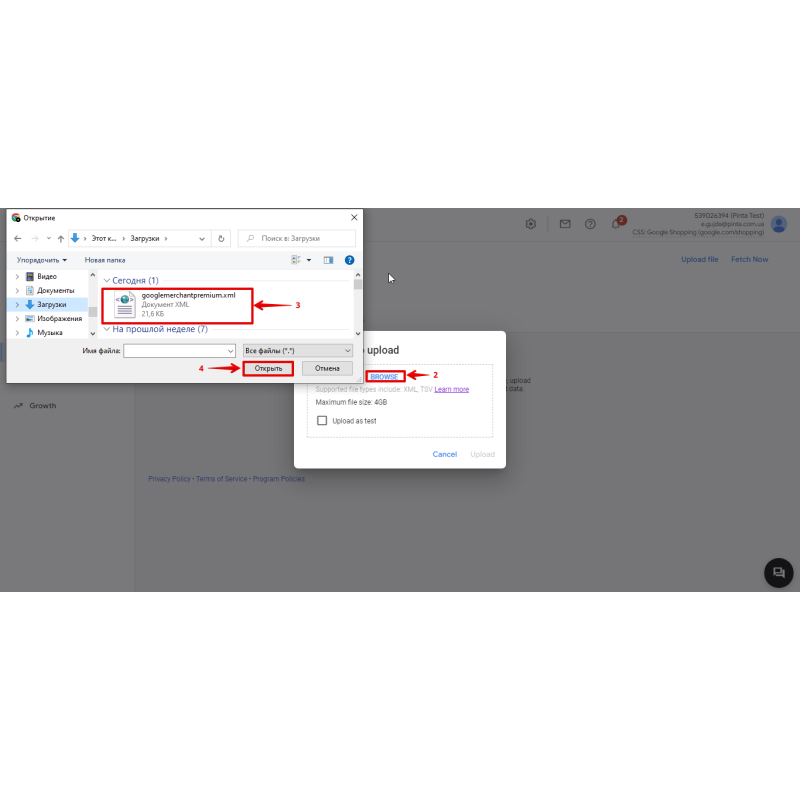
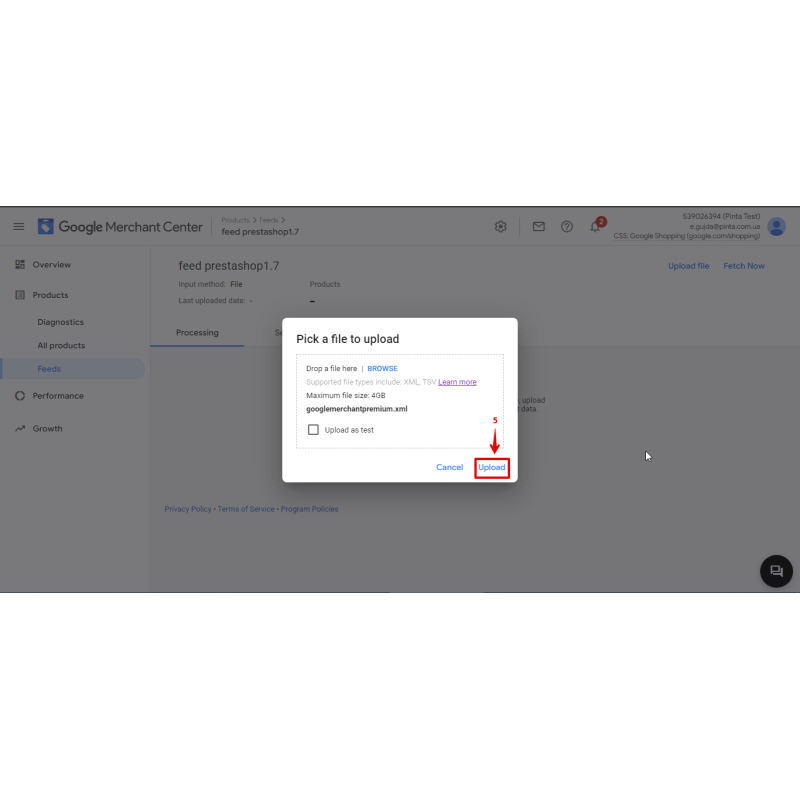
- Copy the active feed generation URL link (append language/currency variables for target market variants), submit it to your Google Merchant Center layout, or plug cron.php directly into your server task scheduler.
Video Instructions
What's new
2.0.1 — Forced https admin AJAX URL on PS8 to fix mixed-content breaking the config screen (CSRF tokens preserved).
2.0.0 — Multi-feed support: unlimited feeds with per-feed settings, filter, per-language/currency URLs, streamed cached generation, idempotent install/upgrade.
1.8.0 — Mappable g:custom_label_0..4 to attribute groups; item_group_id now only on real variants.
1.7.0 — Added g:gtin (EAN-13/UPC/ISBN) and g:mpn (MPN/reference/supplier reference).
1.6.4 — Warning when no store selected, validator fixes, save-warning bug fix.
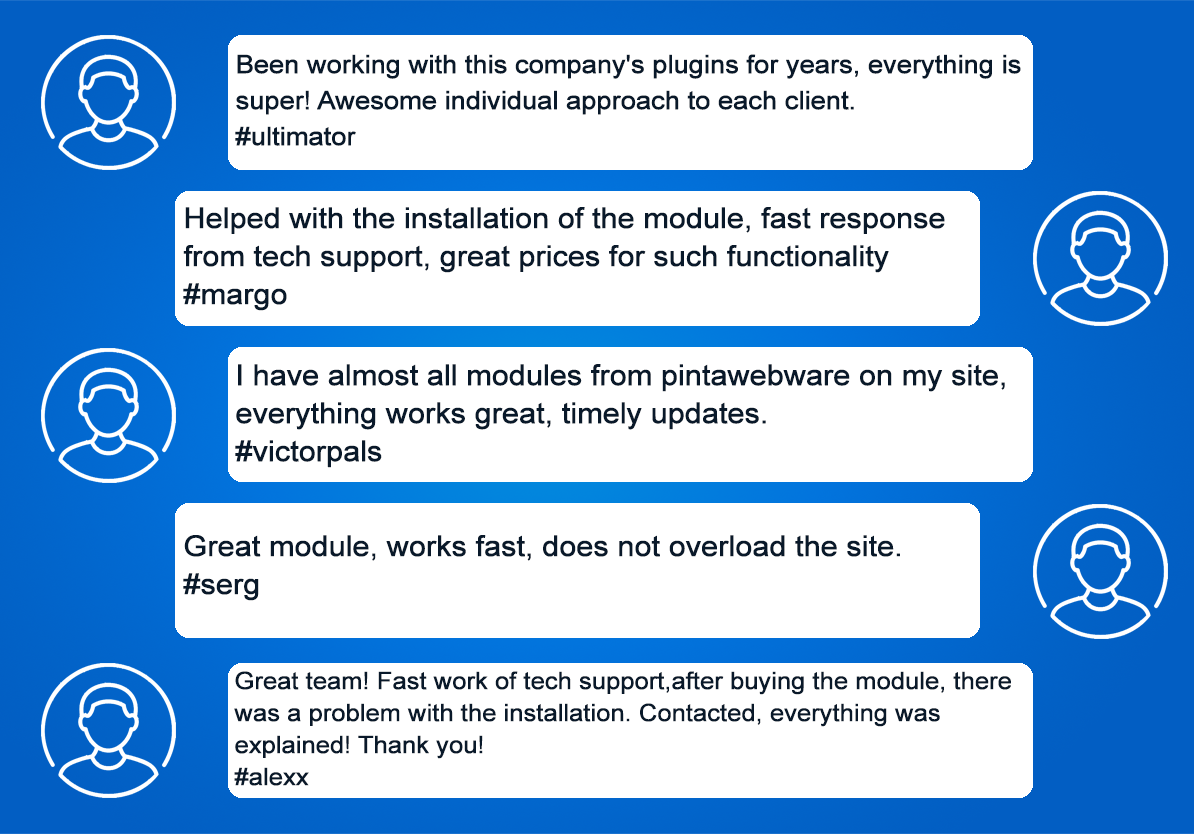
Our Reviews
Related Products
-600x600.jpg "Facebook + Instagram Catalog Feed for PrestaShop (v. 1.6-1.7*)")
Facebook + Instagram Catalog Feed for PrestaShop (v. 1.6-1.7*)
$59.99
$90.00
Ex Tax:$59.99

BrainTree Payment Gateway for PrestaShop: Seamless Payment Integration
$49.99
$75.00
Ex Tax:$49.99
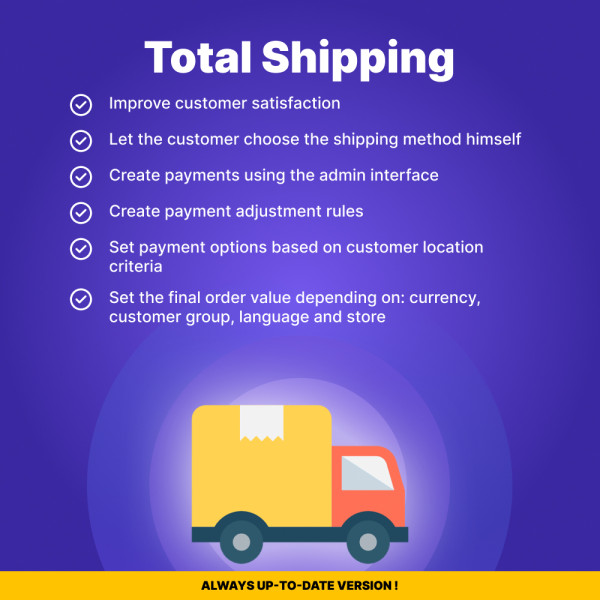
Total Costs with Shipping for PrestaShop: Transparent Pricing
$49.99
Ex Tax:$49.99

$60.00
Ex Tax:$60.00
-600x600.jpg "Quick Order Form for PrestaShop (v. 1.6-1.7-8.*)")
Quick Order Form for PrestaShop (v. 1.6-1.7-8.*)
$49.99
$80.00
Ex Tax:$49.99
-600x600.jpg "2FA Authentication Plugin for Prestashop")
2FA Authentication Plugin for Prestashop
$70.00
$110.00
Ex Tax:$70.00
Package Service Fast help in an hour
$30.00
Ex Tax:$30.00