-800x800.jpg "Messenger Buttons for OpenCart Enhance Customer Engagement 1.5-4.x")

Messenger Buttons for OpenCart Enhance Customer Engagement 1.5-4.x
Add messenger buttons to OpenCart 1.5-4.x for WhatsApp Viber Skype Telegram and more Boost communication conversions and customer satisfaction
$20.00
$39.00
Available Options
Tags: Viber, Plugin, extension, message, button, messenger, plug-in, buttons, messengers, communicating, site, visitors, web, analytics, google, Facebook, Yandex, onclick, click, phone number, login, WhatsApp, Telegram, Skype



.png)
 Overview:
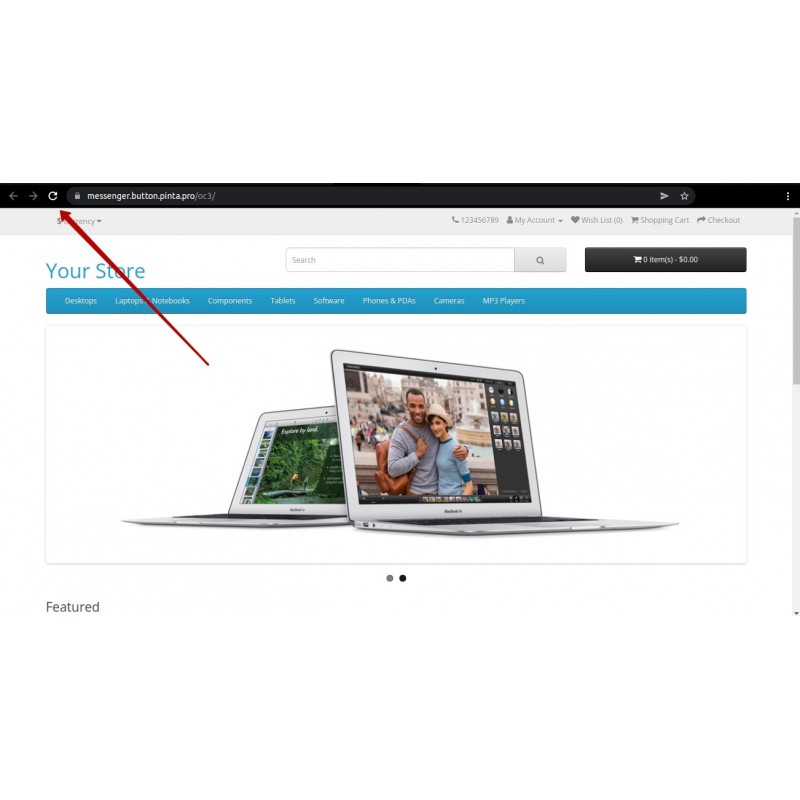
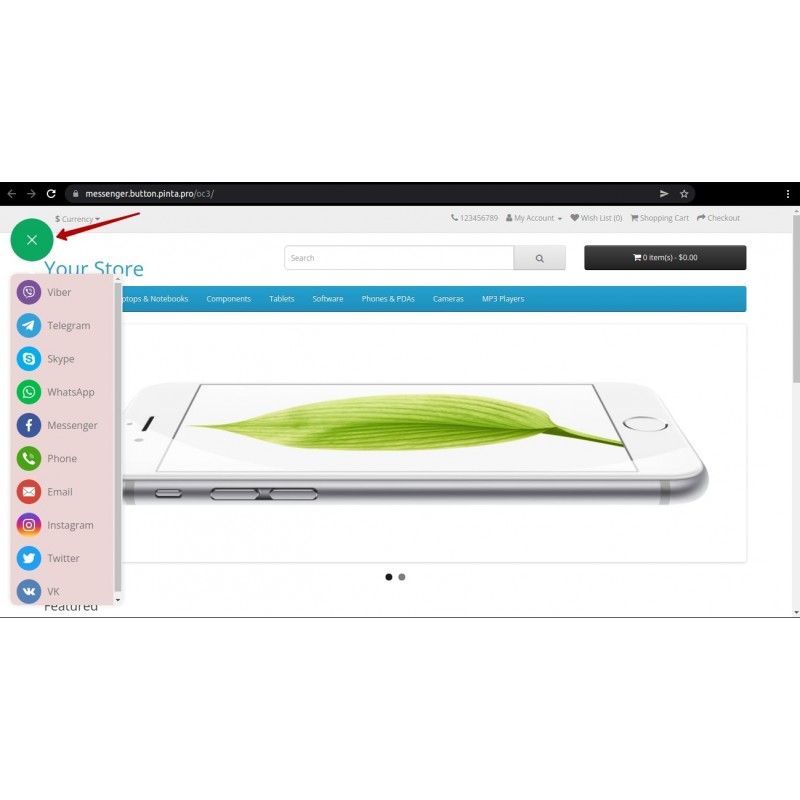
Messenger Button adds a sticky floating set of buttons to every page of your store that take customers straight into a chat with you in their favourite messenger. It shortens the path from question to order: customers do not hunt for contact details or leave the page — they tap an icon and keep talking in the app they already use.
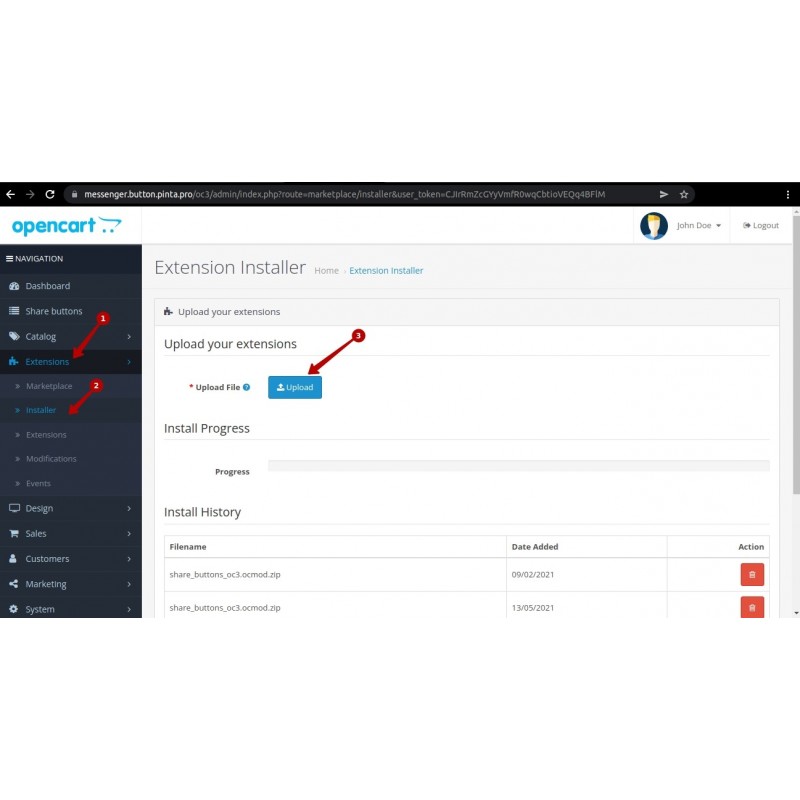
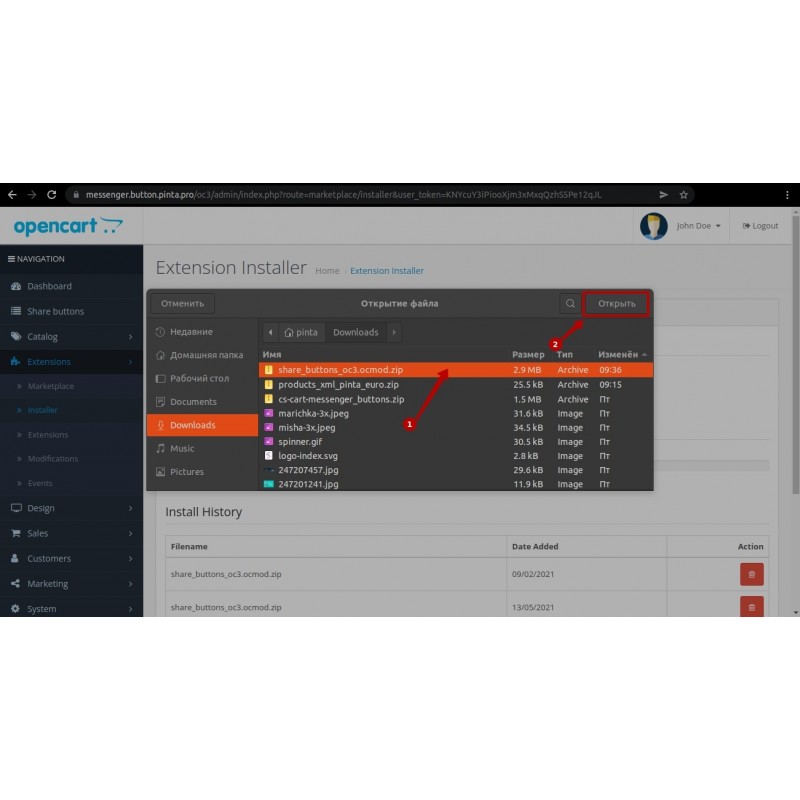
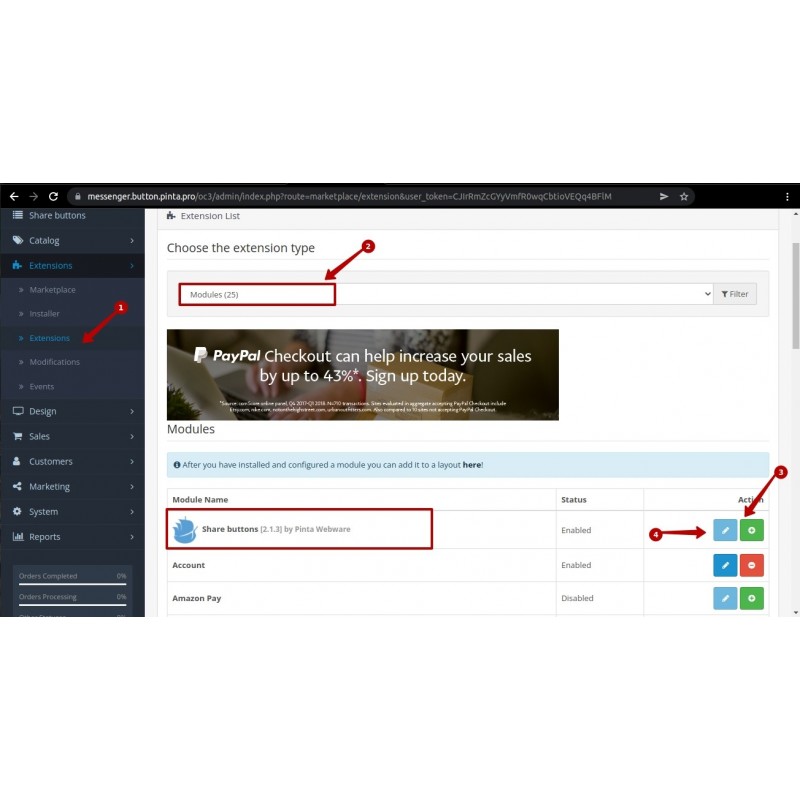
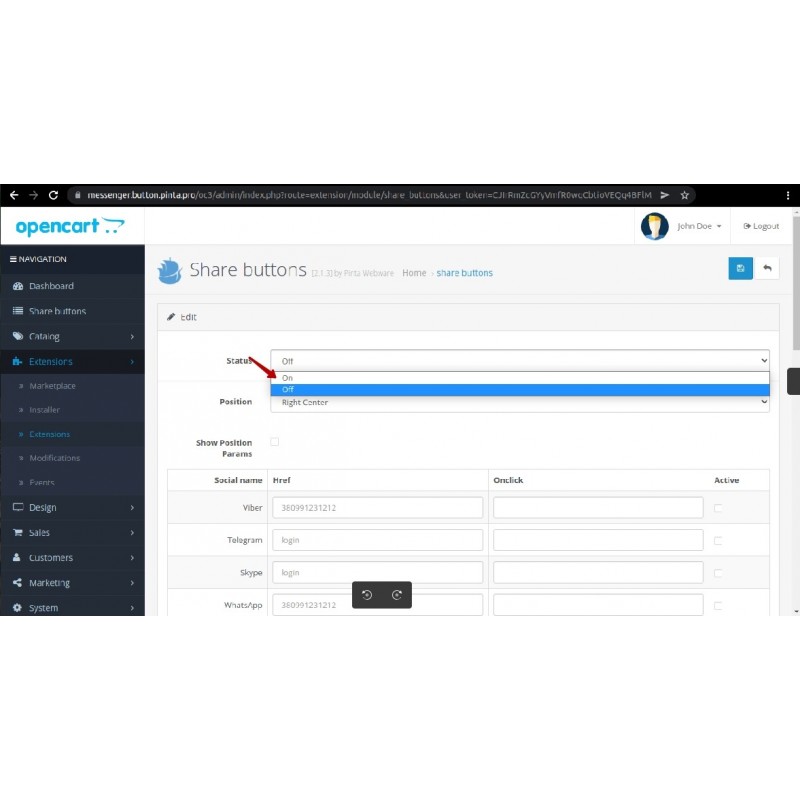
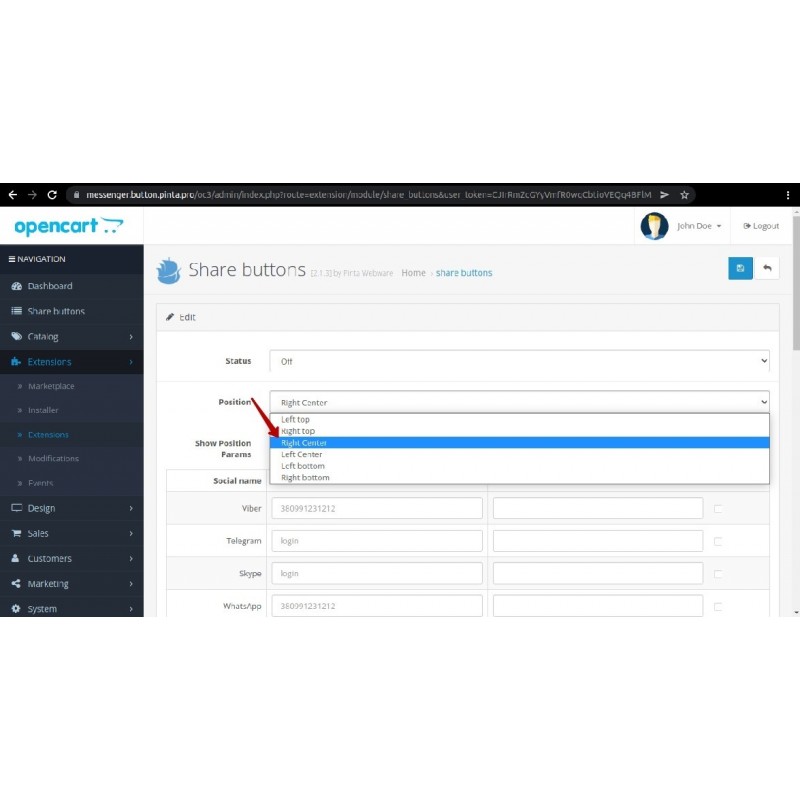
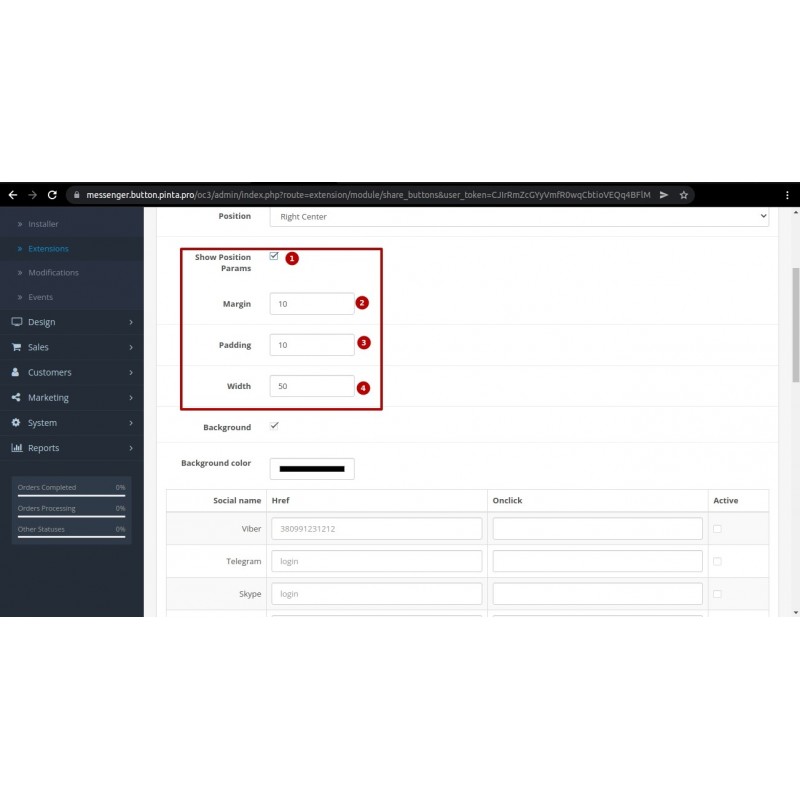
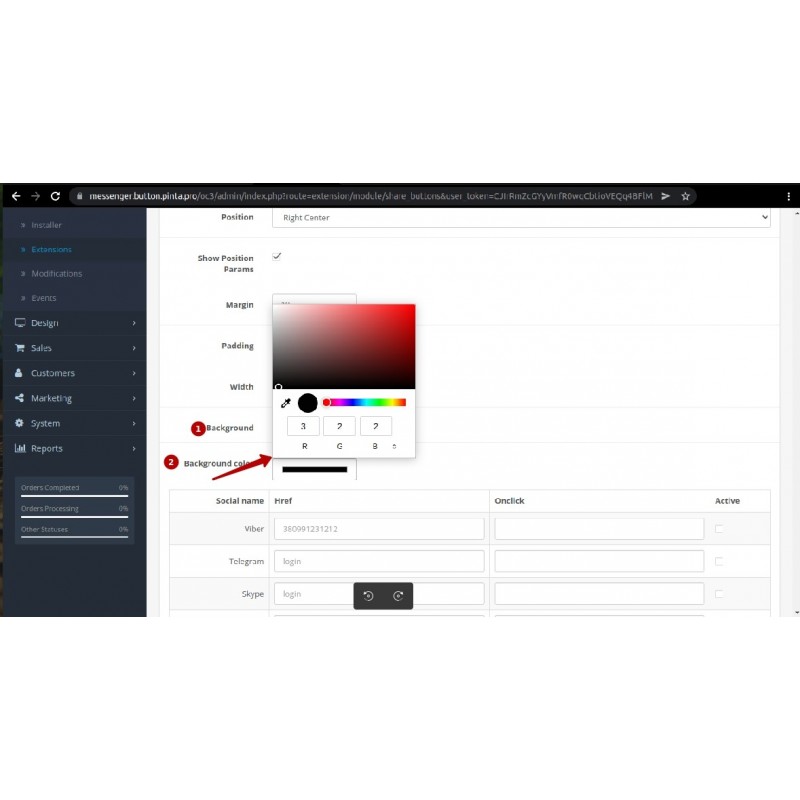
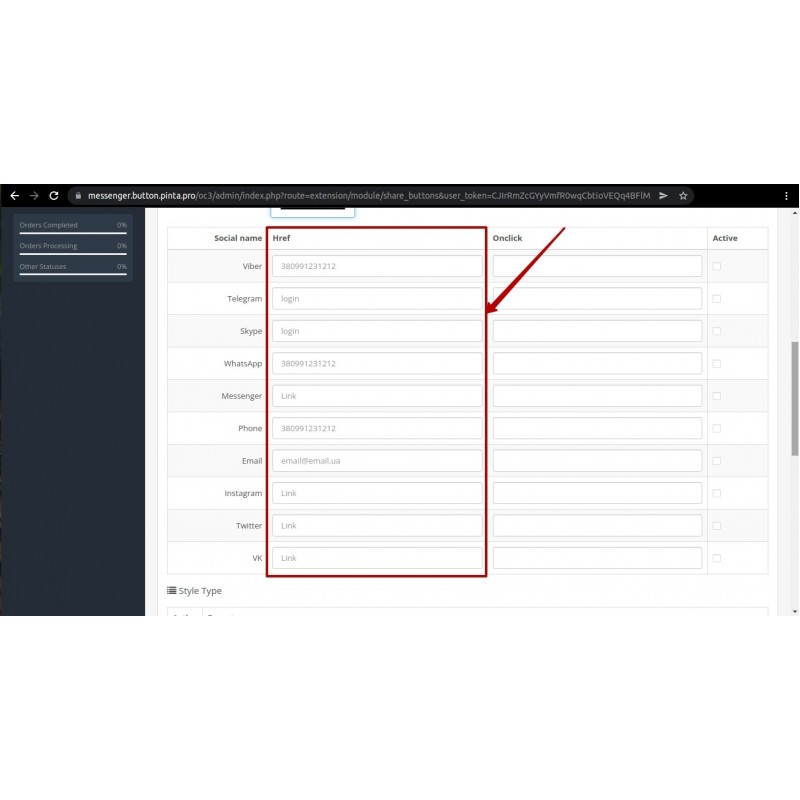
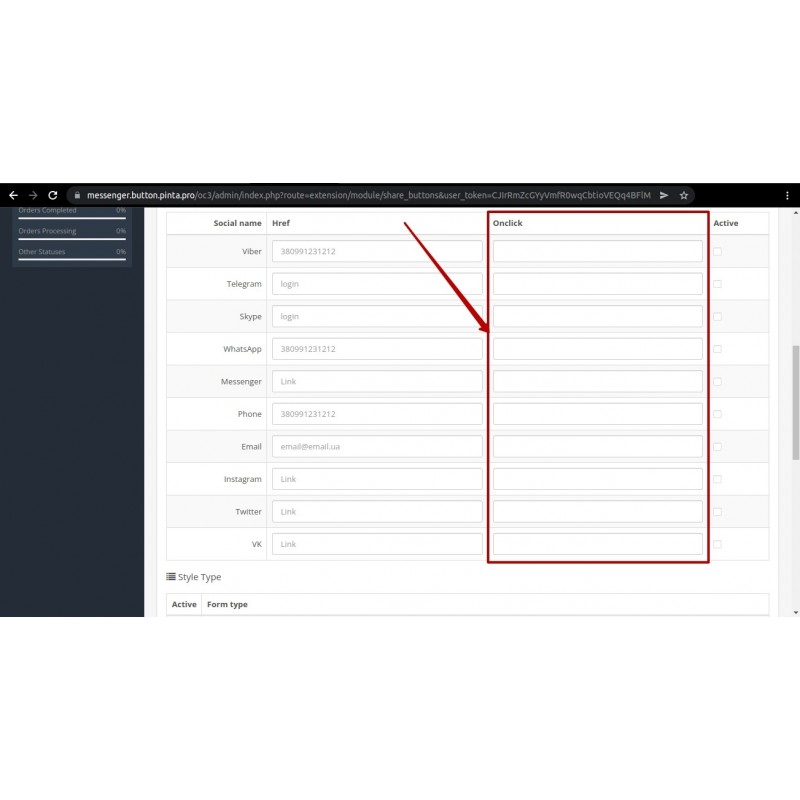
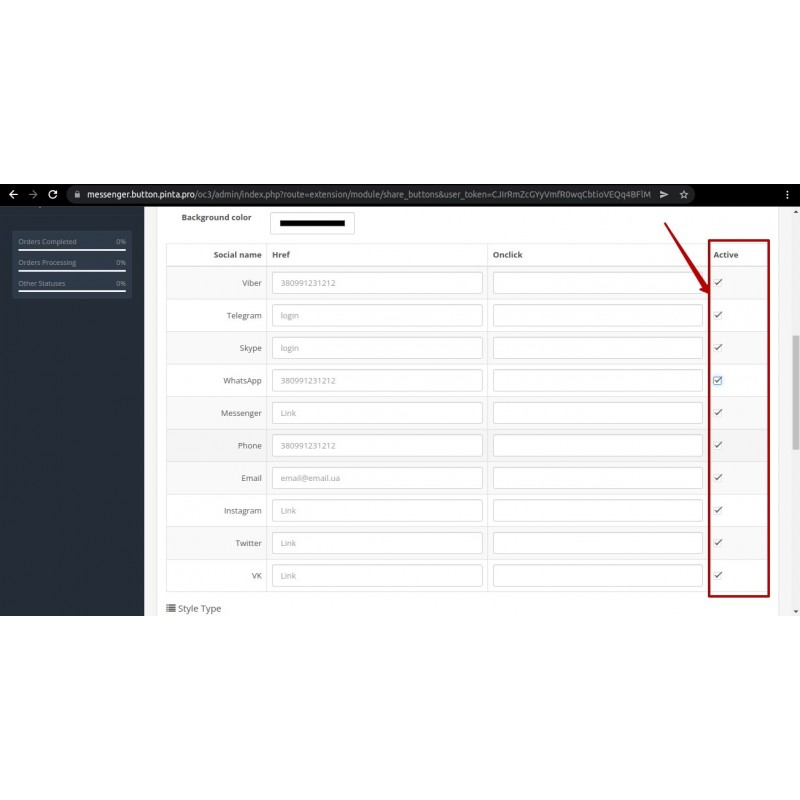
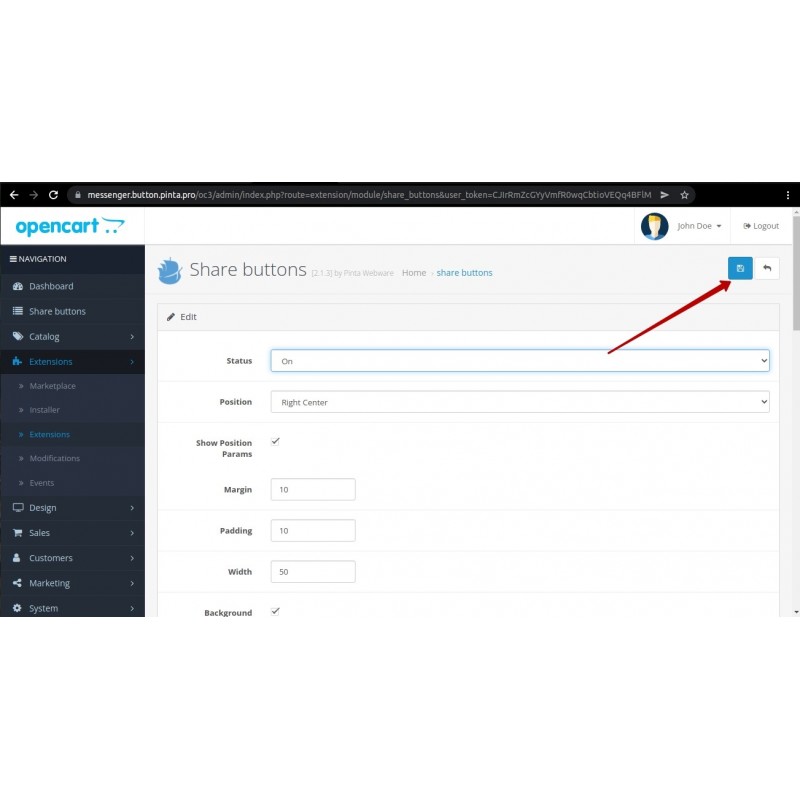
The module is configured entirely from the admin panel: choose the channels you need, enter the number/handle/link for each, enable a prefilled first message, and pick the icon style, position and look. No template editing required.
Compatibility:
OpenCart 1.5, 2.0, 2.3, 3.0 and 4.x. Separate builds are provided for each branch (standard and forum).
Supported channels:
Viber, Telegram, Teams, WhatsApp, Facebook Messenger, Phone, Email, Instagram, X (Twitter), VK, TikTok, Line, SMS.
Key features
- Floating set of buttons pinned to the edge of every storefront page.
- One tap opens a chat with your account in the chosen messenger.
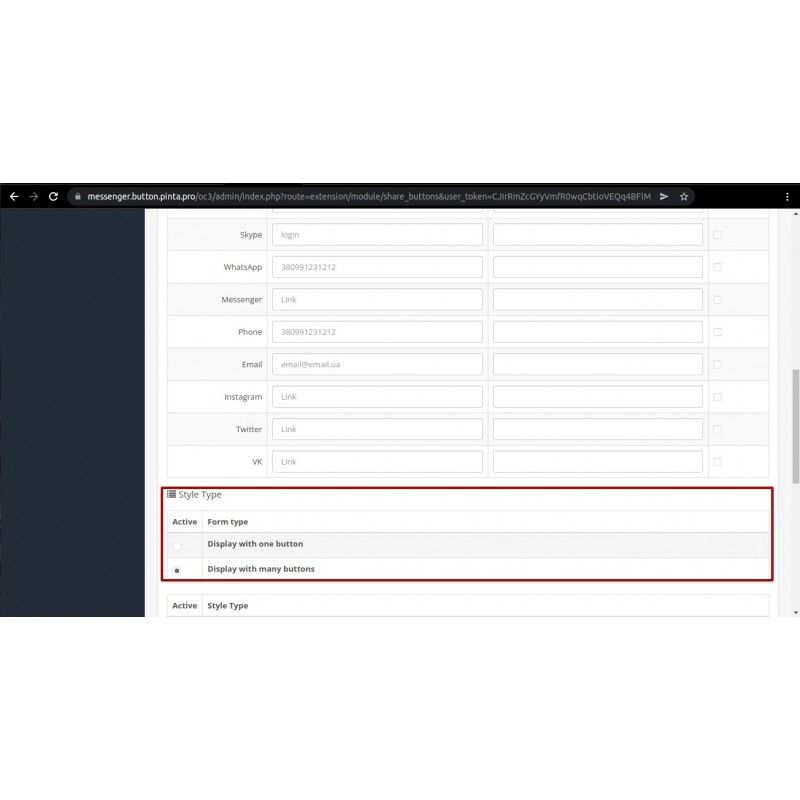
- Single main button (expandable list) or the whole stack shown at once.
- Prefilled first message for WhatsApp, Telegram, SMS and Messenger (URL-encoded automatically).
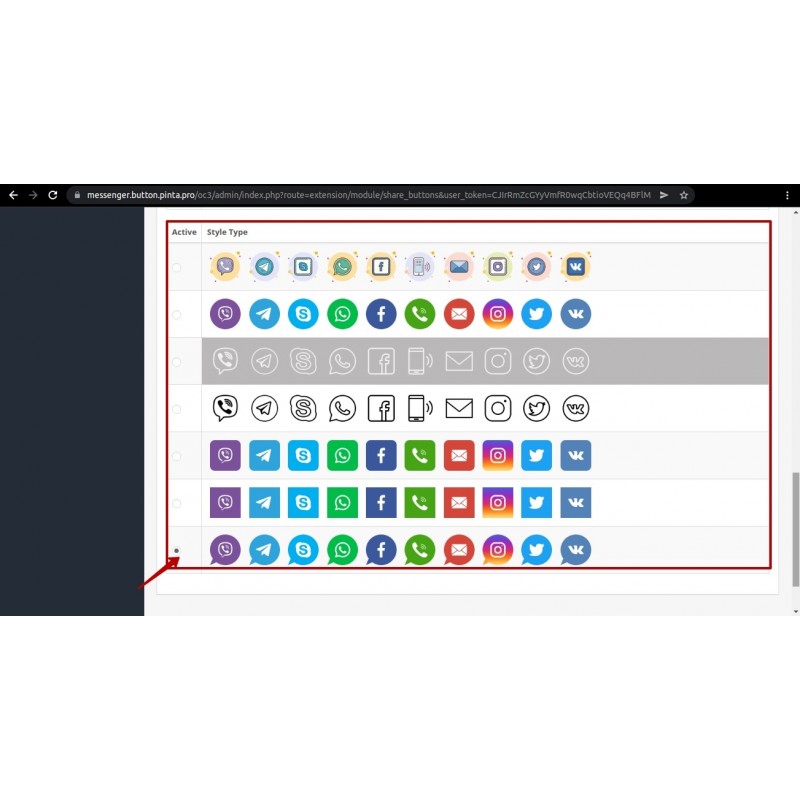
- 7 ready-made icon styles, position choice (left/right, top/center/bottom), width, margin/padding and background color.
- Separate desktop and mobile visibility (device detected by User-Agent).
- Security: URL-scheme allowlist, output escaping, javascript:/data: blocking, the onclick field removed as an XSS vector.
Video Instructions
What's new
2.5.4 — Fixed missing admin translations on OpenCart 2.3: the settings page showed blank labels for the Position dropdown and every channel-table column header (Social name, Href, Prefilled text, Active, Form type, Style Type), plus the margin/padding/width/background fields. Added the 22 missing language-key bindings to the 2.3 controller.
2.5.3 — Fixed installation of the OpenCart 2.3 variant, which previously failed with "Could not load model setting/event!". The 2.3 build was switched to the proven 2.0 mechanism (OCMOD injection, no event system).
2.5.2 — Added an OpenCart 2.3.x variant of the module (2.3/ tree), ported from the 3.0 tree: Twig templates rewritten to PHP .tpl, tokens and install adapted for 2.3, all channel logic and security preserved.
2.5.1 — A batch of fixes for 3.x/4.x: removed PHP 8 warnings on a fresh install, fixed the 4.x icon absolute path when running in a subdirectory, and fixed settings not saving (removed the stray enctype that broke the AJAX save). All archives rebuilt.
2.5.0 — Social channels now build an absolute link from the entered handle; Telegram switched to https://t.me/; a leading @ and whitespace are stripped; the "Teams" channel was renamed from the internal code skype to teams with migration of saved data; admin placeholders refreshed.
Related Products
-600x600.jpg "Request History PRO (Contact Form History) for OpenCart (v. 1.5-4.X)")
Request History PRO (Contact Form History) for OpenCart (v. 1.5-4.X)
$20.00
Ex Tax:$20.00
$60.00
Ex Tax:$60.00
-600x600.jpg "Google AMP for SEO - Accelerated Mobile Pages for OpenCart (v. 2.*-3.* 4.*)")
Google AMP for SEO - Accelerated Mobile Pages for OpenCart (v. 2.*-3.* 4.*)
$39.00
$70.00
Ex Tax:$39.00

Google Tag Manager for OpenCart: Simplify Marketing Tools (v.2-4.x)
$45.00
Ex Tax:$45.00
-600x600.jpg "2FA Authentication for OpenCart (v.2-4.x)")
2FA Authentication for OpenCart (v.2-4.x)
$30.00
Ex Tax:$30.00
-600x600.jpg "ChatGPT Manager for OpenCart: Intelligent Support Module (v.2-4)")
ChatGPT Manager for OpenCart: Intelligent Support Module (v.2-4)
$39.00
Ex Tax:$39.00
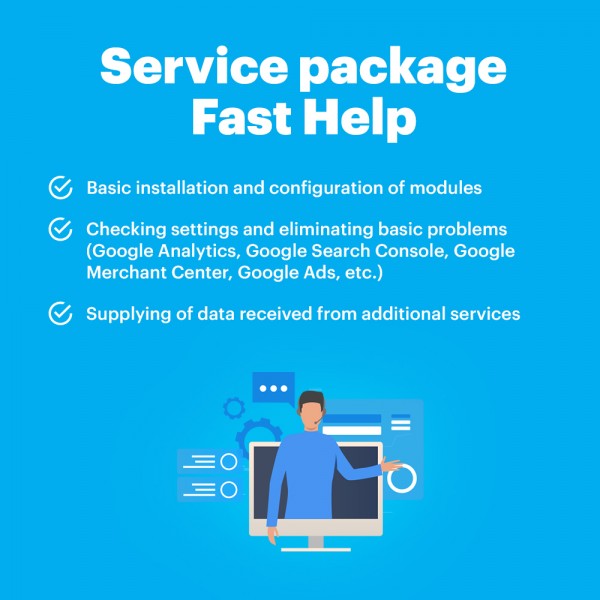
Package Service Fast help in an hour
$30.00
Ex Tax:$30.00

Product Tabs Manager for OpenCart (v.2-4.x)
$30.00
Ex Tax:$30.00
$0.00
Ex Tax:$0.00
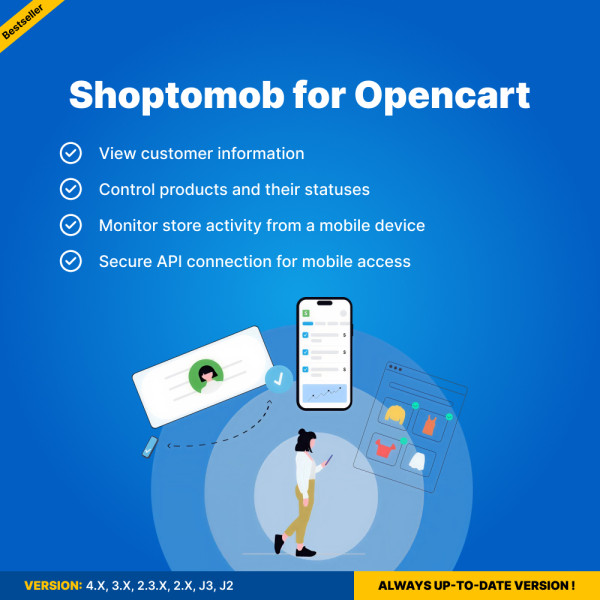
Shoptomob for OpenCart — Mobile App Builder
$0.00
Ex Tax:$0.00