-800x800.jpg "Google Merchant Shopping Feeds for CS-Cart - Boost Your Product Ads")
Google Merchant Shopping Feeds for CS-Cart - Boost Your Product Ads
Create Google Merchant Center feeds for CS-Cart easily. Automate updates, match categories, and boost sales with effective Shopping and Dynamic Remarketing ads
$65.00
$120.00
Available Options



.png)
 Overview:
Google Merchant Feed Product generates Google Merchant Center XML product feeds directly from your CS-Cart store for Google Shopping and Performance Max. It is built for multi-company environments: Multivendor and Ultimate are supported with per-company feed generation, so each vendor or storefront gets its own correct feed.
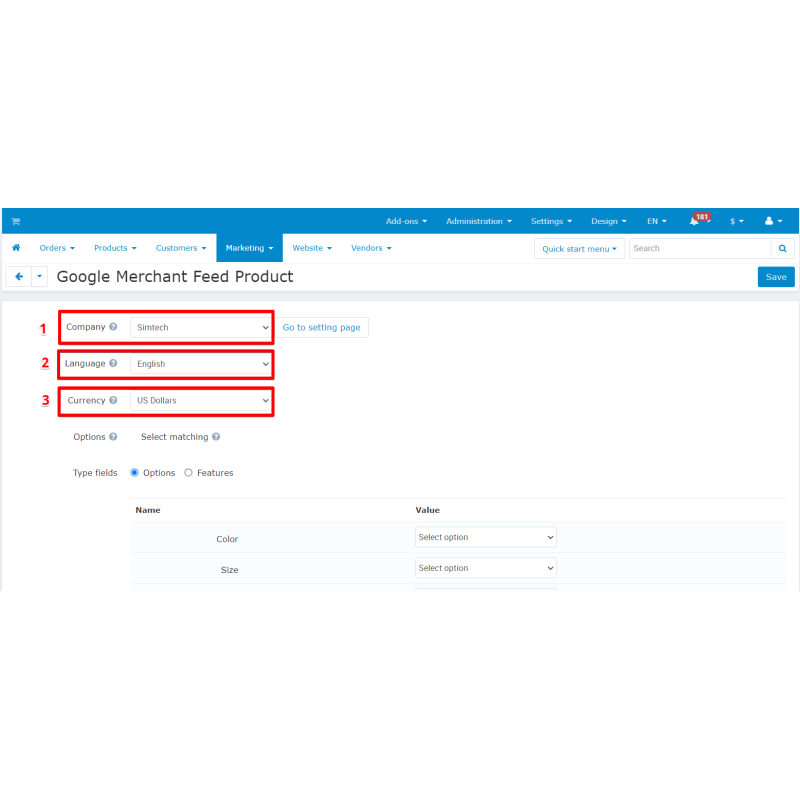
From version 2.3 the add-on is multi-feed. A "Feed list" screen under Marketing → Google Merchant Feed lets you create any number of feeds, each with its own name, company scope, status, settings and ready-to-copy generation URL, plus create / edit / delete actions. Every feed carries its own attribute and feature mapping, custom labels, item_group_id behaviour, language, currency, category mapping and product filter, all scoped to that feed id.
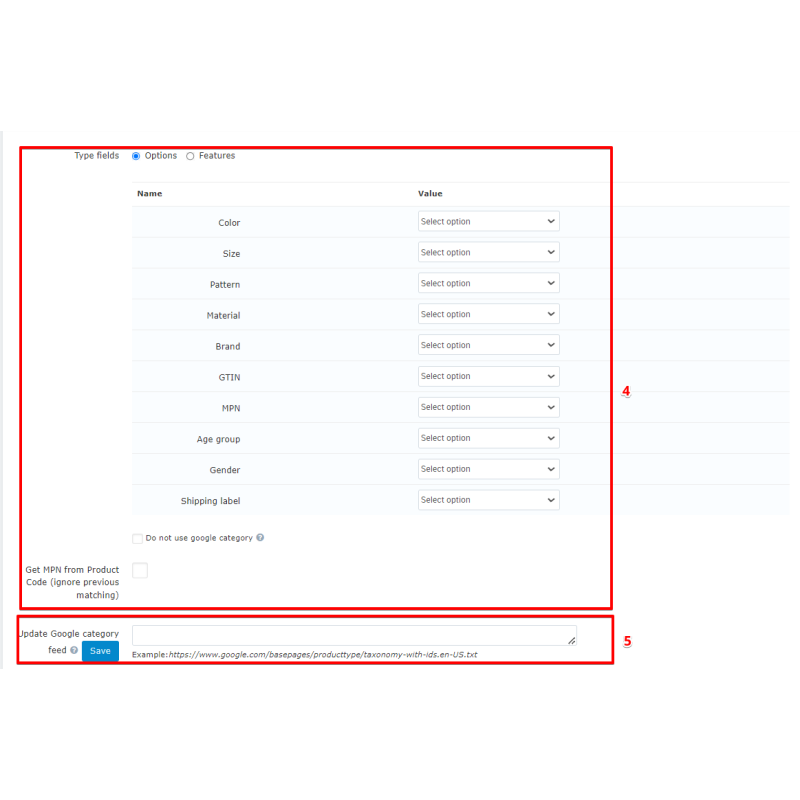
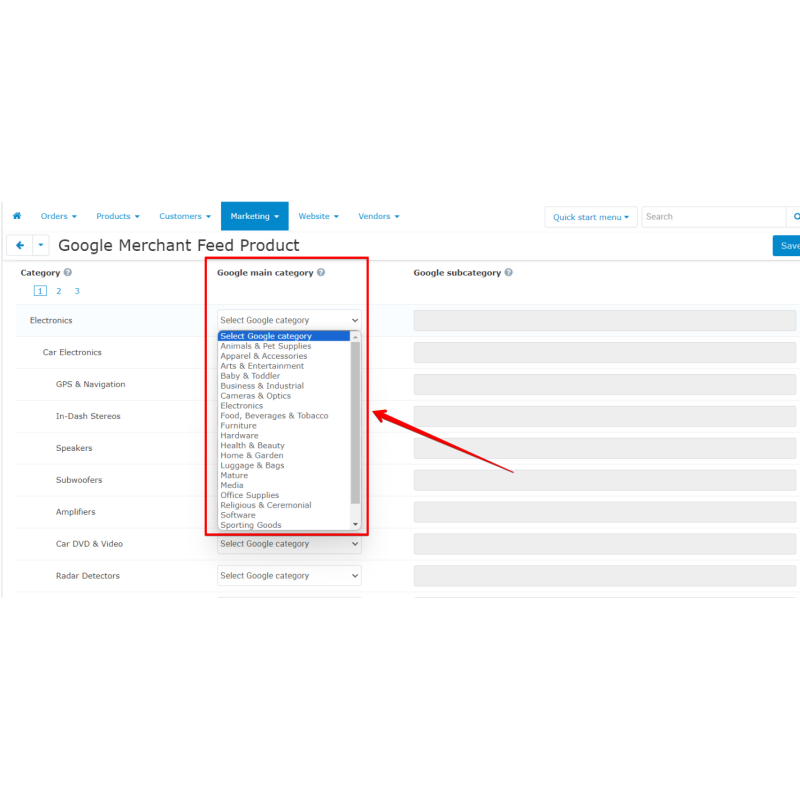
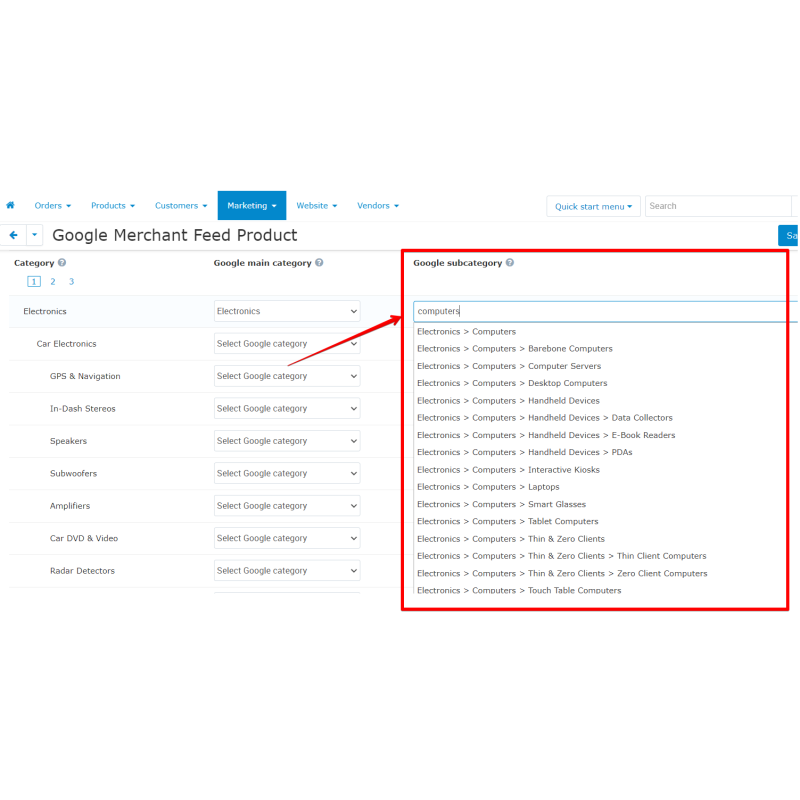
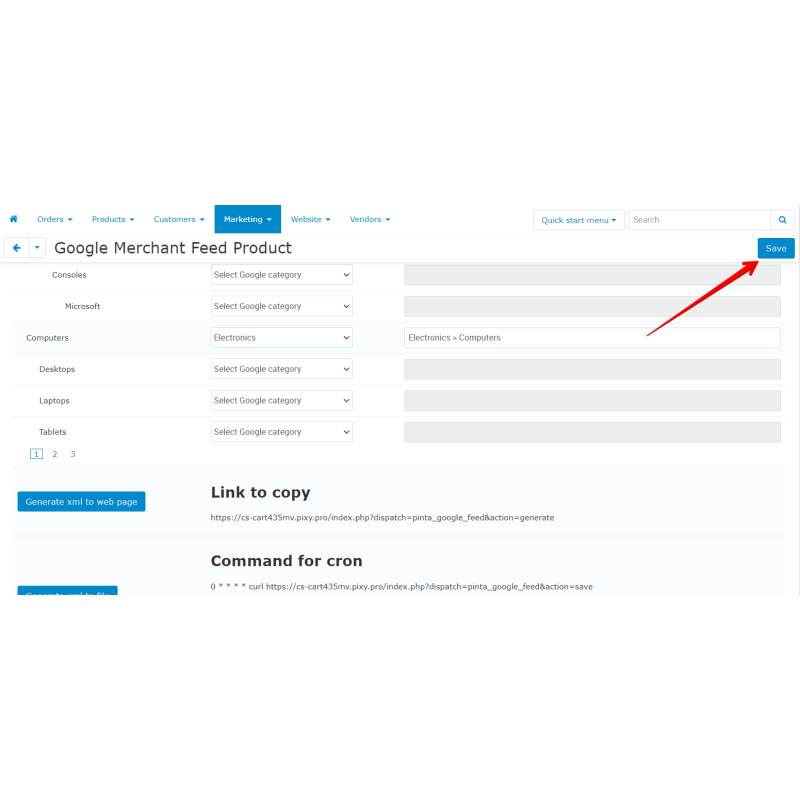
The feed imports the full Google Product Taxonomy and maps your CS-Cart categories to Google categories, with the option to turn off entire categories. Products are mapped to Google attributes including brand, gtin, mpn, color, size, material, pattern, gender, age_group, custom_label_0..4 and item_group_id (emitted for members of a product variation group), with identifier_exists=no set automatically when no usable identifier exists. Titles are sanitised and length-capped, descriptions are HTML-stripped with a title fallback, and image links are served as HTTPS.
Large catalogues are handled with memory-safe streaming: per-product data is now fetched one product at a time inside the generation loop instead of loading the whole catalogue, and when a full list is needed only a lightweight id list is loaded. The feed is written incrementally via XMLWriter with optional gzip output (&gzip=1). Cron generation and Memcached caching are supported. Install is fast — the ~6000-row Google taxonomy is imported with chunked multi-row inserts, completing in seconds.
Supported versions:
CS-Cart / Multi-Vendor 4.19.x (compatibility from 4.19.0 to 4.19.*). Auto-installs on MULTIVENDOR and ULTIMATE editions.
Key Features (Why choose)
- Multi-feed architecture: support with per-company scope for Multivendor and Ultimate store editions.
- Full Taxonomy support: maps local parameters directly to the official Google Product Taxonomy.
- Rich attribute mapping: link fields for brand, GTIN, MPN, color, size, material, pattern, gender, age group, and custom labels.
- Variant management: group-id configuration for variations and fallback handling for products without identifiers.
- Memory-safe data streaming: optimized streamed generation + optional gzip for high-performance extraction of large catalogues.
- Automation integration: automated scheduling via Cron and caching via Memcached with fast database install.
- Granular item filters: complete category exclusion toggles and per-feed product extraction rules.
Feed / Feature Specifics
Mappable fields: color, size, pattern, material, brand, gtin, mpn, age_group, gender, shipping_label, custom_label_0..4
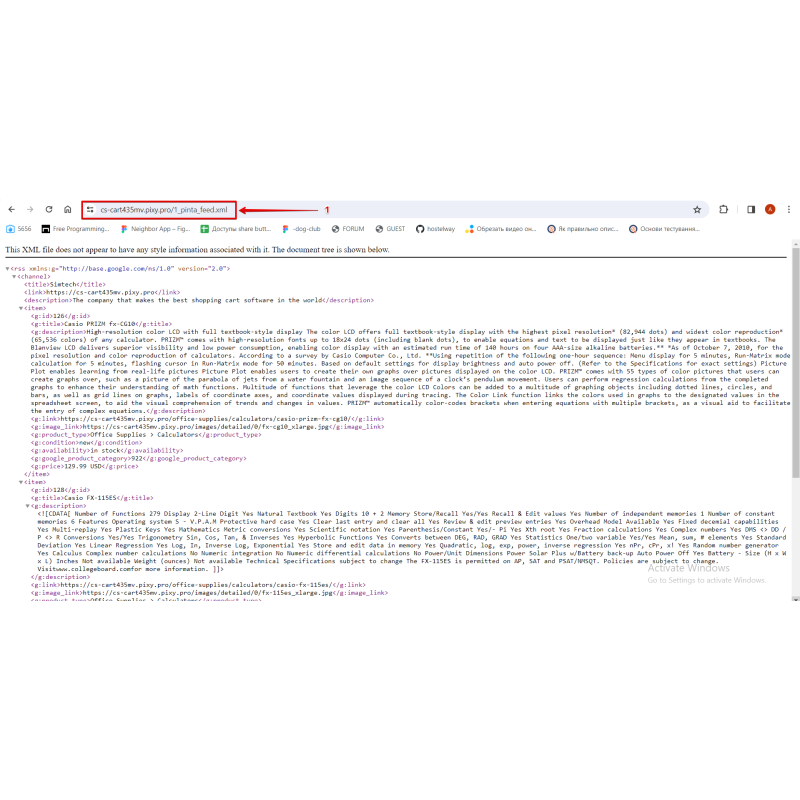
XML Schema format: RSS 2.0 XML with xmlns:g; title text capped at 100 chars, description tags HTTPS-stripped capped at 4999 with title text fallback.
Core architecture: Streamed XMLWriter generation, optional gzip (&gzip=1); cron.php CLI; Memcached optional.
Database entities: pinta_google_feeds, google_feed_google_category, google_feed_category (feed-scoped), google_feed_product_filter_settings (feed-scoped); idempotent single feed migration.
Permissions schema: manage_pinta_google_feed, view_pinta_google_feed
Standard Feed URL Structure:
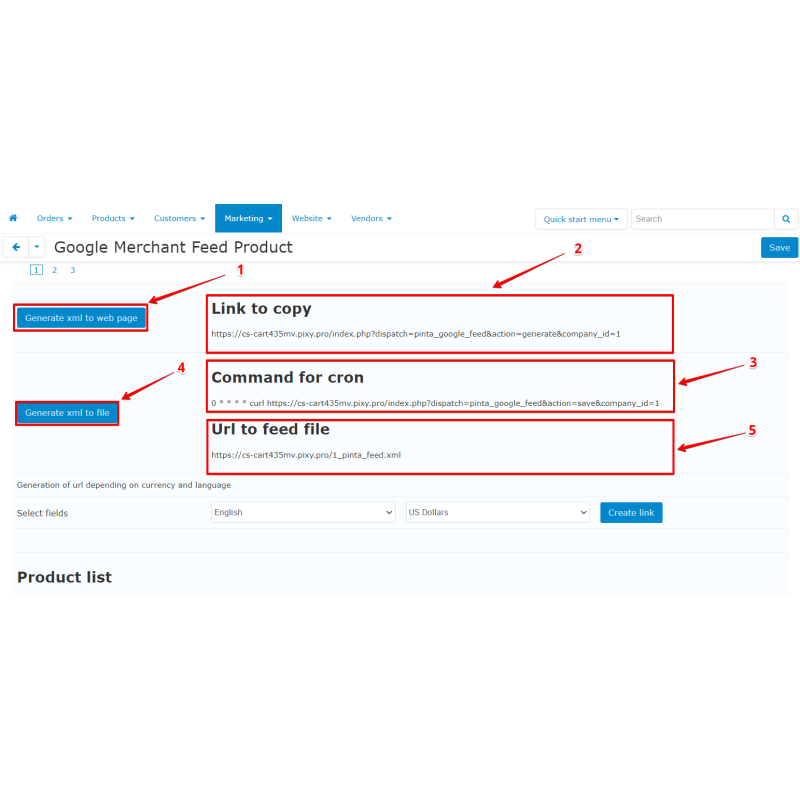
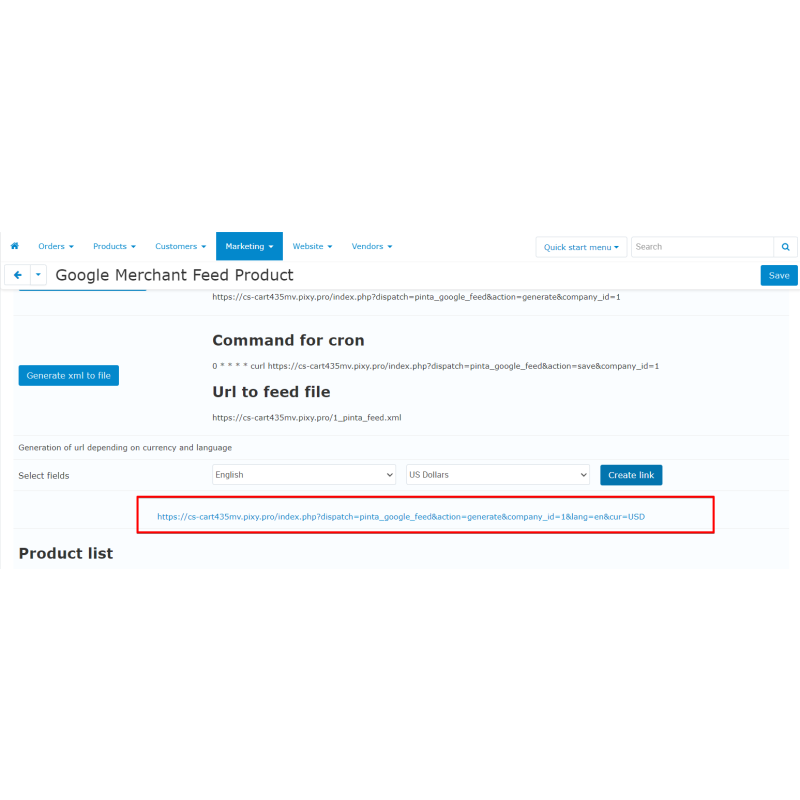
index.php?dispatch=pinta_google_feed&action=generate&feed_id=N&company_id=C&lang=en&cur=USD
How to use
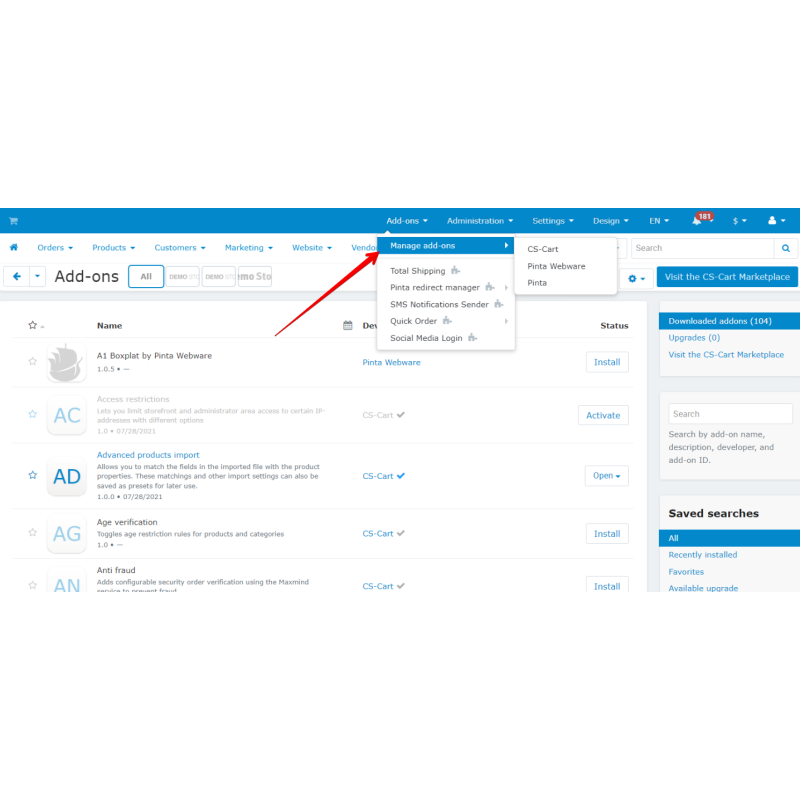
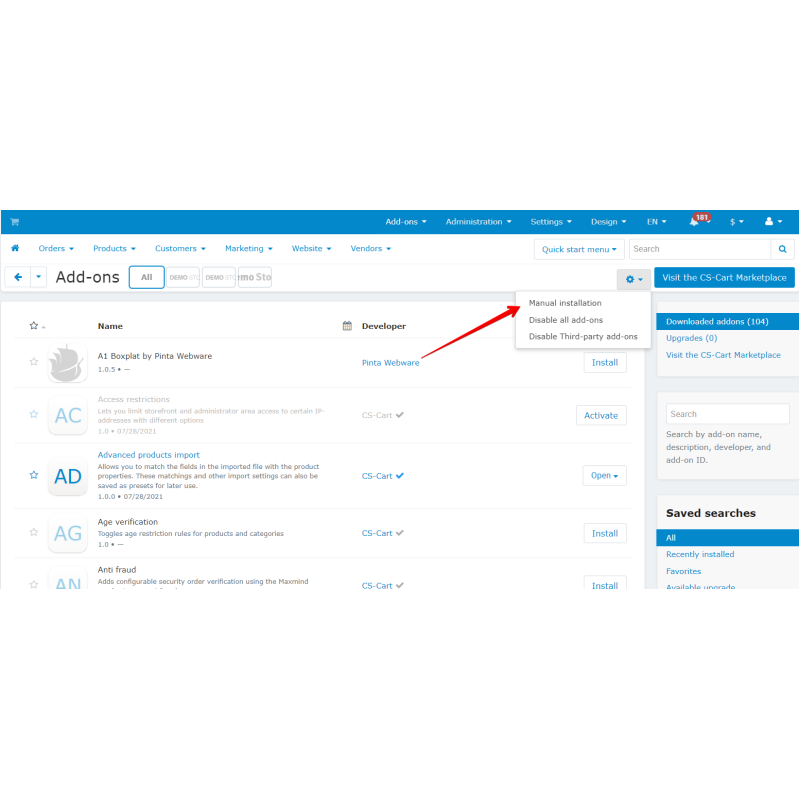
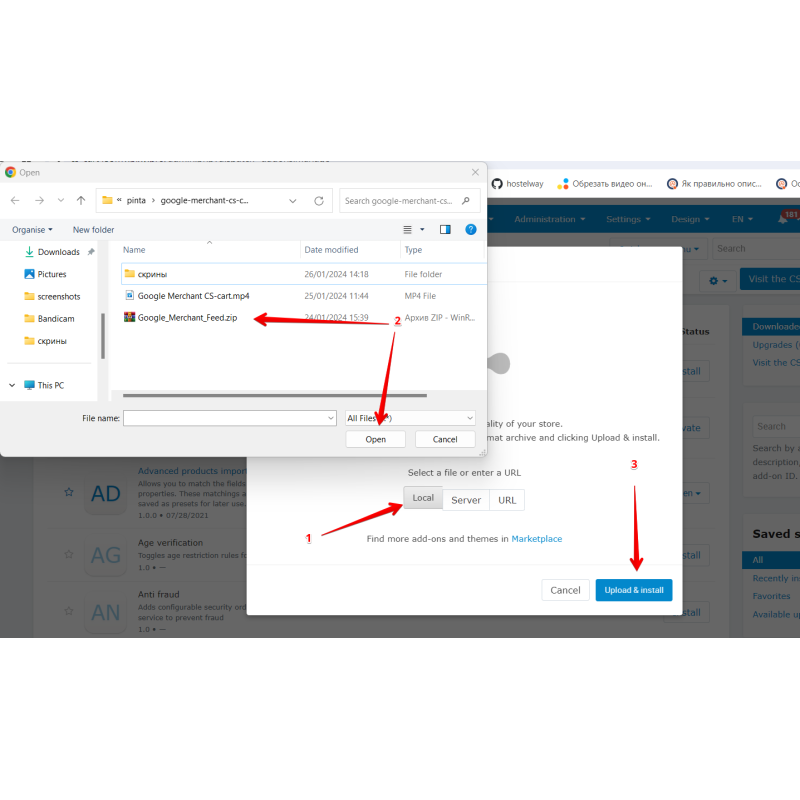
- Upload the add-on package to your store directory
app/addons/pinta_google_feed/and click install inside the Add-ons administration screen. - Import the official Google Product Taxonomy database directly inside the add-on configurations layout.
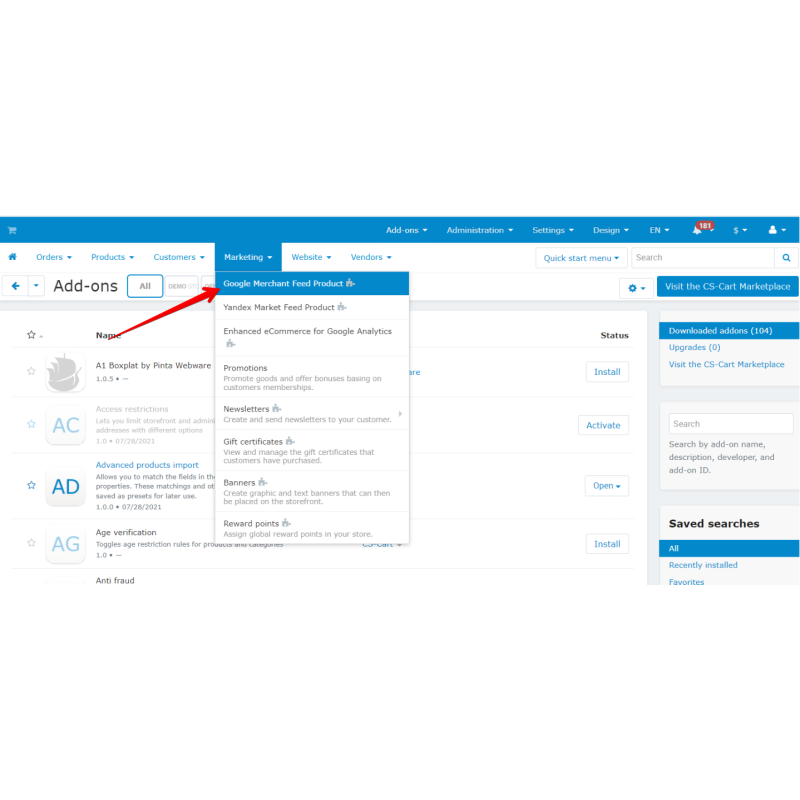
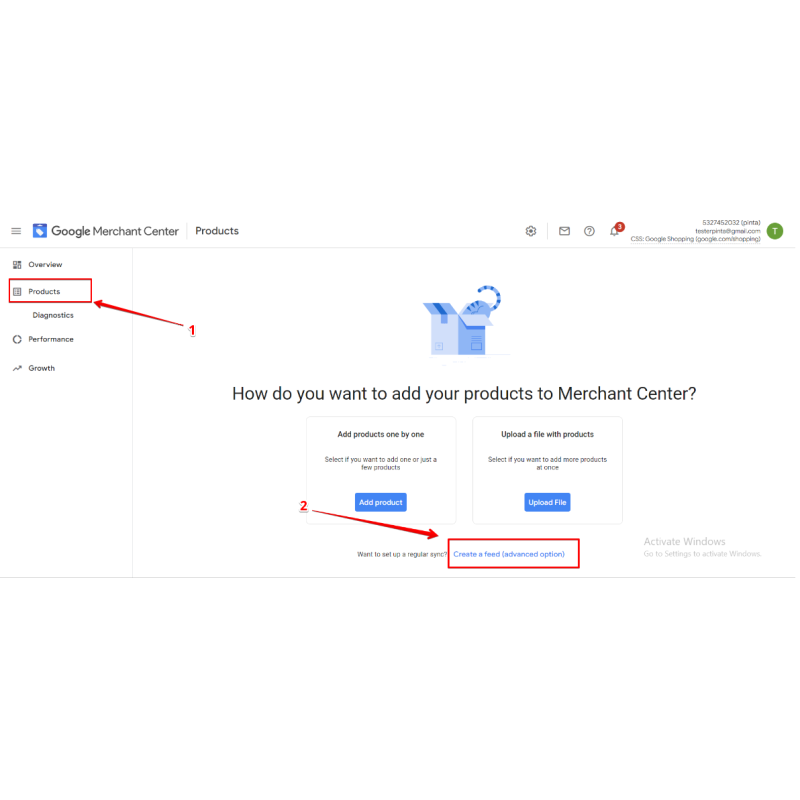
- Navigate over to Marketing → Google Merchant Feed, initialize a new feed configuration, and enter its options.
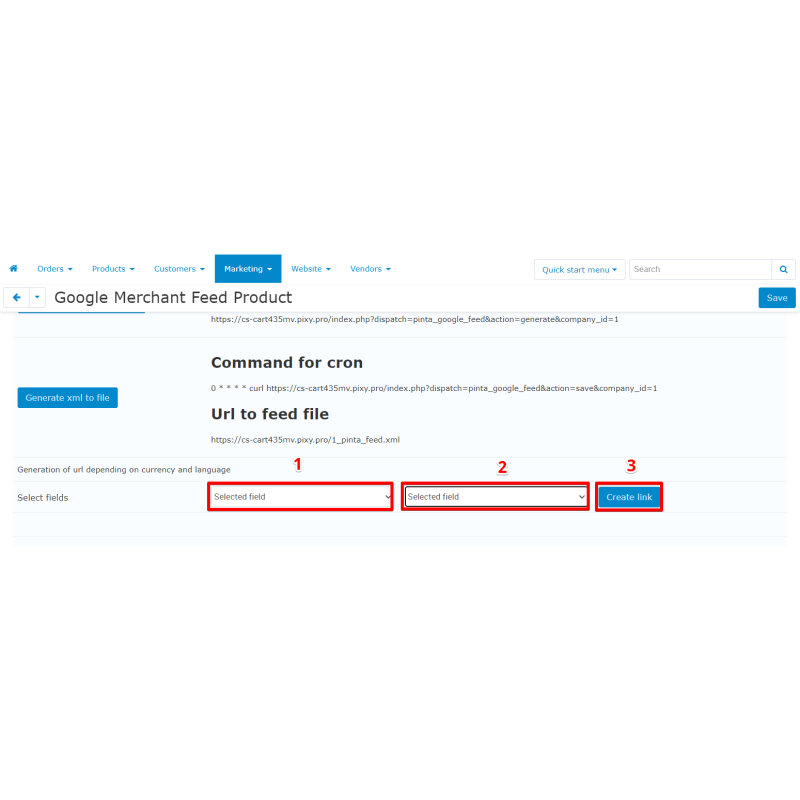
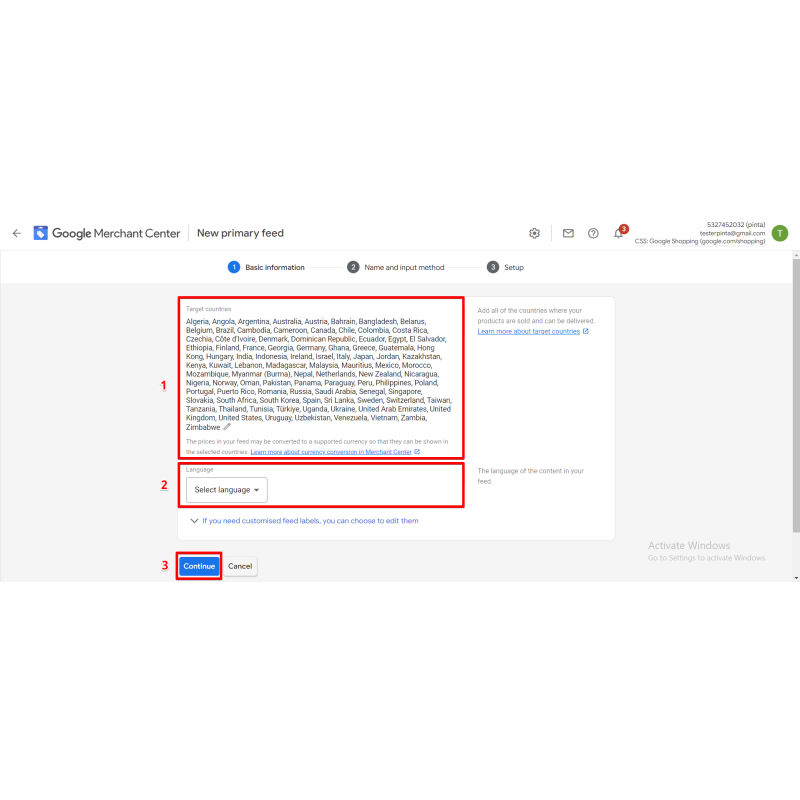
- Map your local store categories to official Google categories and select your target language, extraction currency, fields layout, and product limits.
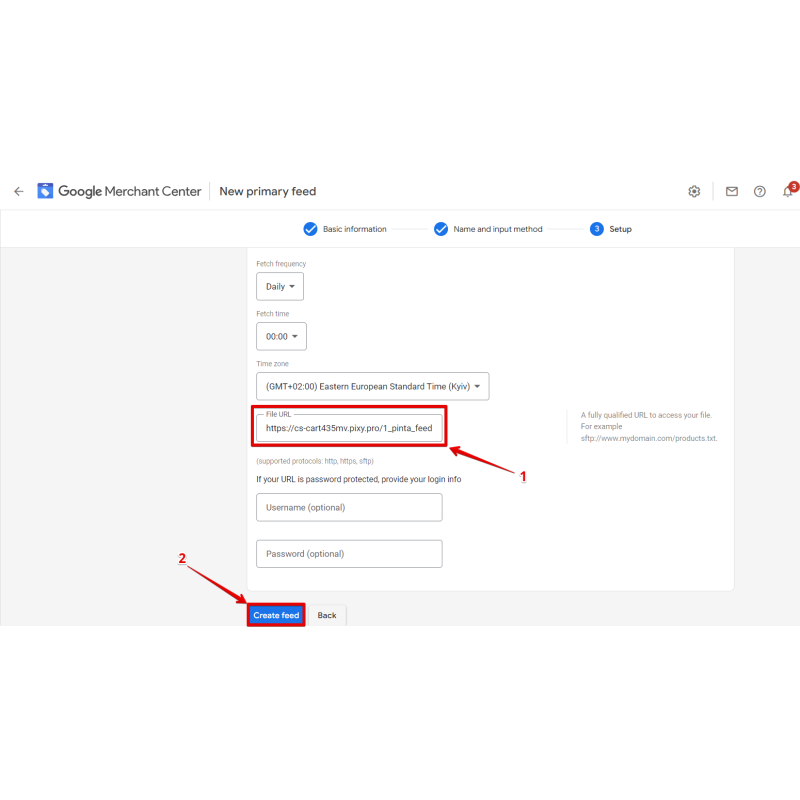
- Copy your feed's active generation URL link (populated with feed_id, company_id, lang, cur; append
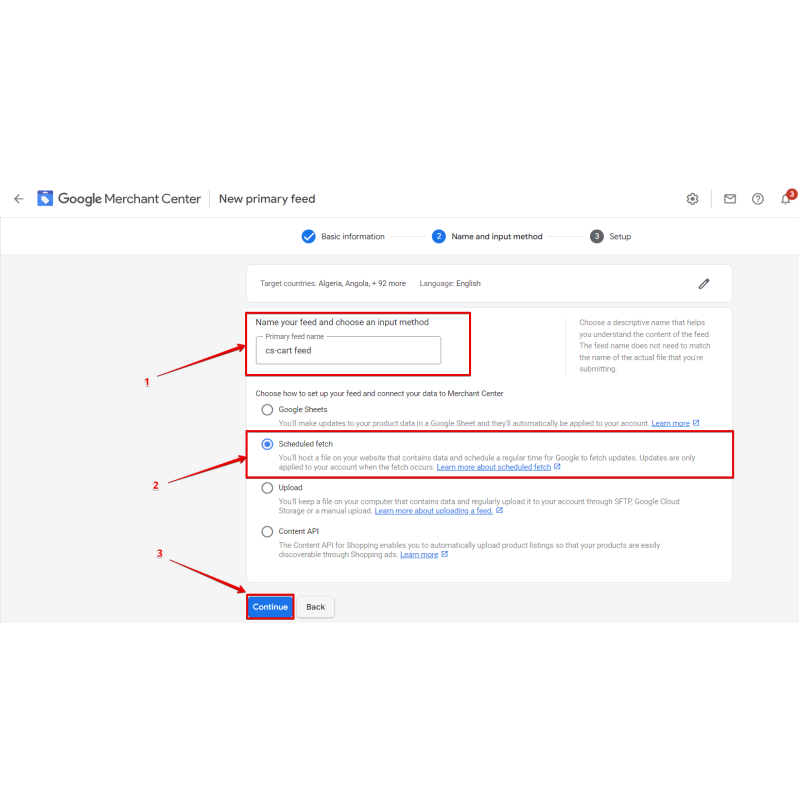
&gzip=1for gzip) and apply it to Google Merchant Center, or schedule automated extractions using cron.php.
Video Instructions
What's new
2.4.2 — Faster install: Google taxonomy (~6000 rows) imported via in-memory parent map + chunked multi-row inserts instead of ~12,000 single queries; install now completes in seconds.
2.4.1 — Fixed malformed admin URL on the feed edit/save screen (double "?"), so saving a feed redirects correctly.
2.4.0 — Memory-safe generation: per-product data streamed one at a time, lightweight id-list when full list needed; added optional gzip output (&gzip=1).
2.3.0 — Multi-feed support: "Feed list" screen, per-feed settings/URL, per-feed generation and migration of the legacy single feed.
2.2.1 — Fixed fatal SmartyCompilerException ("unknown modifier 'raw'") that broke the admin management page (now uses nofilter).
Our Reviews
Related Products
-600x600.jpg "Messenger Buttons for CS-Cart Enhance Customer Communication")
Messenger Buttons for CS-Cart Enhance Customer Communication
$29.00
$70.00
Ex Tax:$29.00
$60.00
Ex Tax:$60.00
-600x600.jpg "PDF Invoice for CS-Cart Attach to Email Automatically")
PDF Invoice for CS-Cart Attach to Email Automatically
$40.00
$70.00
Ex Tax:$40.00
-600x600.jpg "Mobile Admin PRO for CS-Cart Simplify Store Management")
Mobile Admin PRO for CS-Cart Simplify Store Management
$0.00
Ex Tax:$0.00
-600x600.jpg "Google AMP for SEO - Add Accelerated Mobile Pages for CS-cart")
Google AMP for SEO - Add Accelerated Mobile Pages for CS-cart
$39.00
$80.00
Ex Tax:$39.00

2FA Authentication Plugin for CS-Cart
$30.00
$50.00
Ex Tax:$30.00
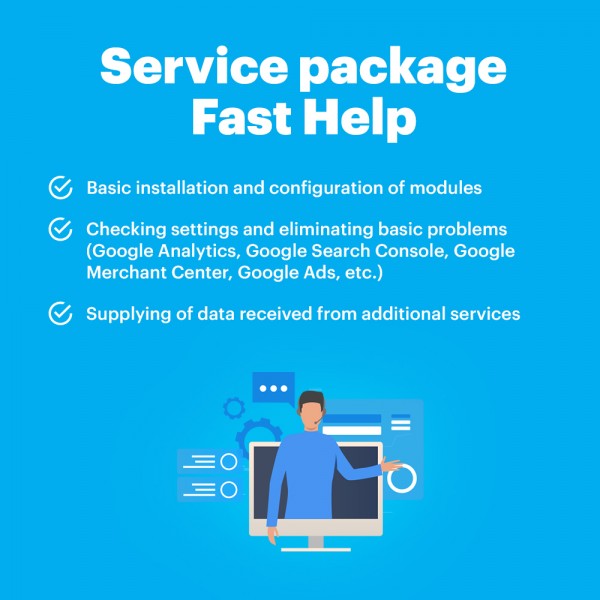
Package Service Fast help in an hour
$30.00
Ex Tax:$30.00