-800x800.jpg "SEO Meta Tags Generator Pro for CS-Cart")

SEO Meta Tags Generator Pro for CS-Cart
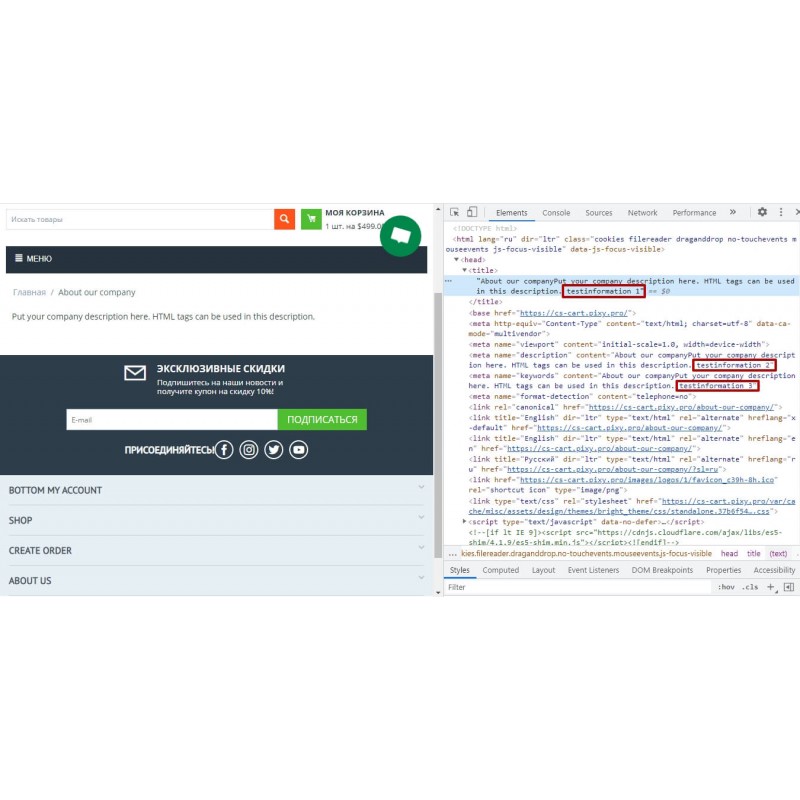
SEO Meta Tags Generator module was specially designed for automatic generation of all meta tags: Meta Title, Meta Descriptions, Meta Keywords. It is suitable for multi-language sites and generates unique meta tags for each language.
$20.00
$60.00
Available Options
Tags: SEO, Meta, Tags, tag, Generator, CS-Cart, CS, CScart, Cart, Title, Description, Keywords



 Overview:
SEO Meta Tags Generator Pro automatically fills page title, meta description and meta keywords across your CS-Cart storefront. Rather than writing meta tags by hand for every product, category and content (information) page, you define a reusable template once with token variables, and the add-on generates the meta on the fly for every matching page.
The generated meta is computed live at render time and reads the entity's own stored meta to decide what to fill — your stored catalog meta is not overwritten, so you can change templates or disable the add-on at any time without losing data. An "Overwrite existing meta tags" option is available when you want generated meta to always win. This template-driven approach eliminates the duplicate and empty meta tags that hold back indexing on large catalogs, and behaves consistently across CS-Cart 4.12–4.20.
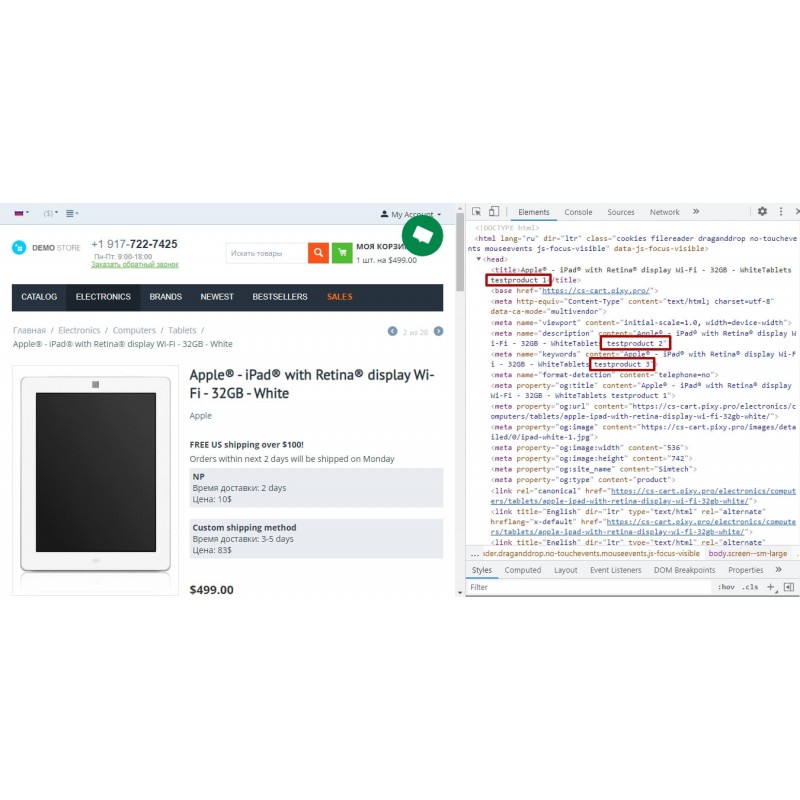
You control the exact output format. A template such as %p - %c | %$ | %sn %yr produces a clean, descriptive title from the product name, category, formatted price, store name and current year. The %$ price token shows the price in the visitor's active currency with its symbol. The same template approach applies to categories and content pages, so the whole catalog follows one consistent SEO meta convention, with multilingual meta resolved from the active storefront language.
Generated values are normalized (HTML tags stripped, whitespace collapsed), length-clamped on a word boundary (title up to 60, description up to 160 characters), and HTML-attribute-escaped before output — preventing attribute/tag breakout (stored XSS) from token-sourced catalog data.
Supported versions:
CS-Cart / Multi-Vendor with add-on scheme 3.0 (CS-Cart 4.12–4.20). Localizations included: English, Russian, Ukrainian, German, Spanish, French.
Why choose this add-on (Key features)
- Catalog-wide automation, not page-by-page edits. One template covers every product, category and content page.
- Non-destructive. Stored catalog meta is left untouched; generated meta is live and reversible; optional Overwrite mode.
- No more duplicate or empty meta. Tokens guarantee unique, populated meta title and description.
- Visitor-currency pricing. The %$ token shows the price in the active currency with its symbol, correctly converted.
- Correct multilingual meta. Category and content-page meta resolve from the active storefront language.
- Search-engine-friendly length control + safe output. Word-boundary clamping and HTML-attribute escaping.
Token variables available
Product pages: %p product name, %c category, %u product code, %$ price (active currency, with symbol), %b brand (from the product's brand feature). Note: CS-Cart has no standalone brand landing page (brands are a product feature), so brand is the product %b token.
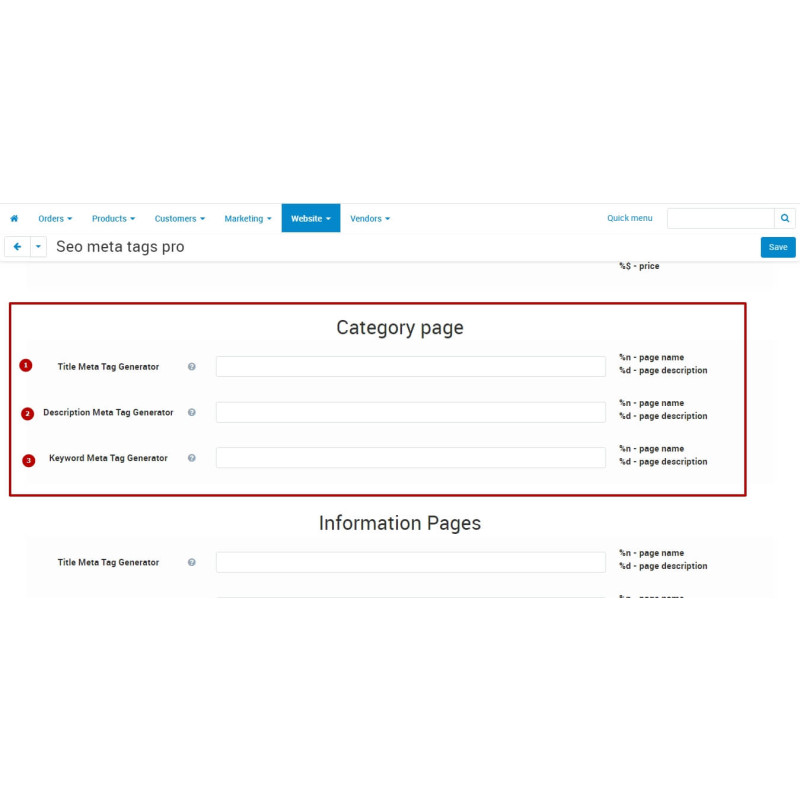
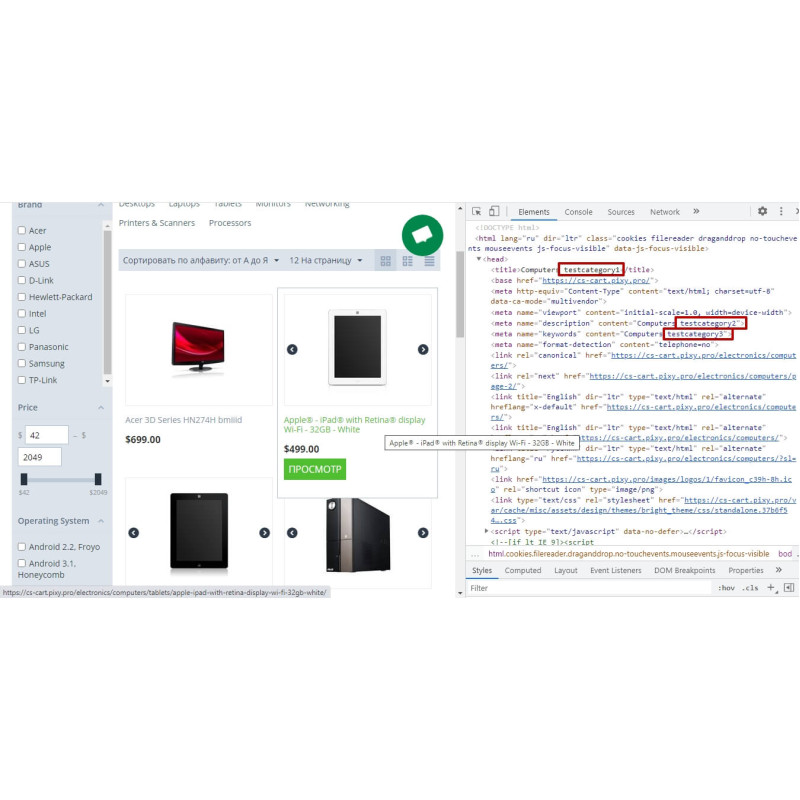
Category pages: %n name, %d description.
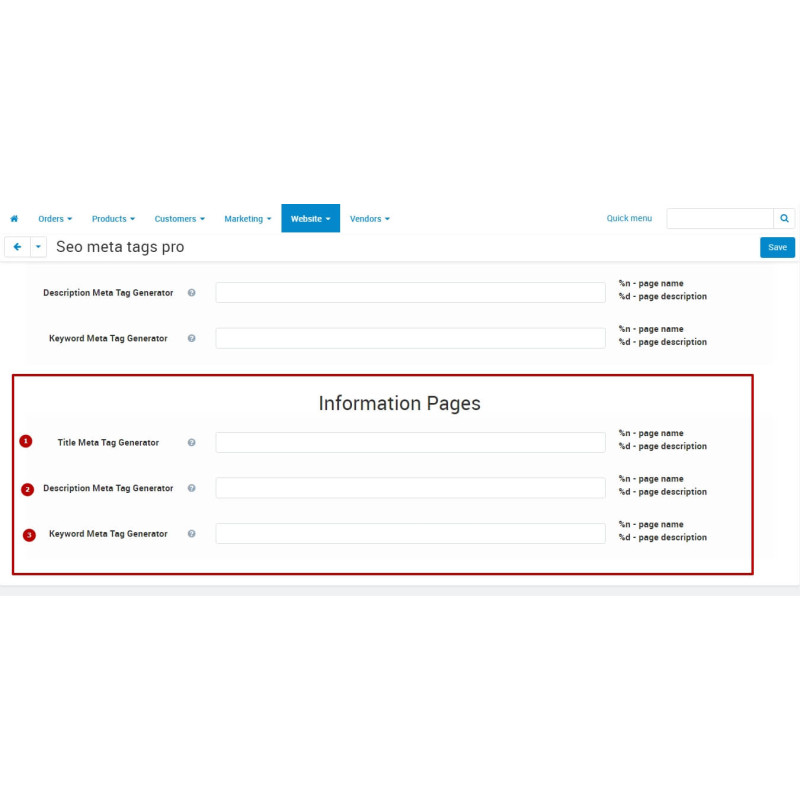
Content (information) pages: %n page name, %d description.
Evergreen tokens on every entity: %sn store name, %yr current year.
Note: Multi-character tokens (%sn, %yr) never collide with single-character ones.
Example template string: %p - %c | %$ | %sn %yr
How to use
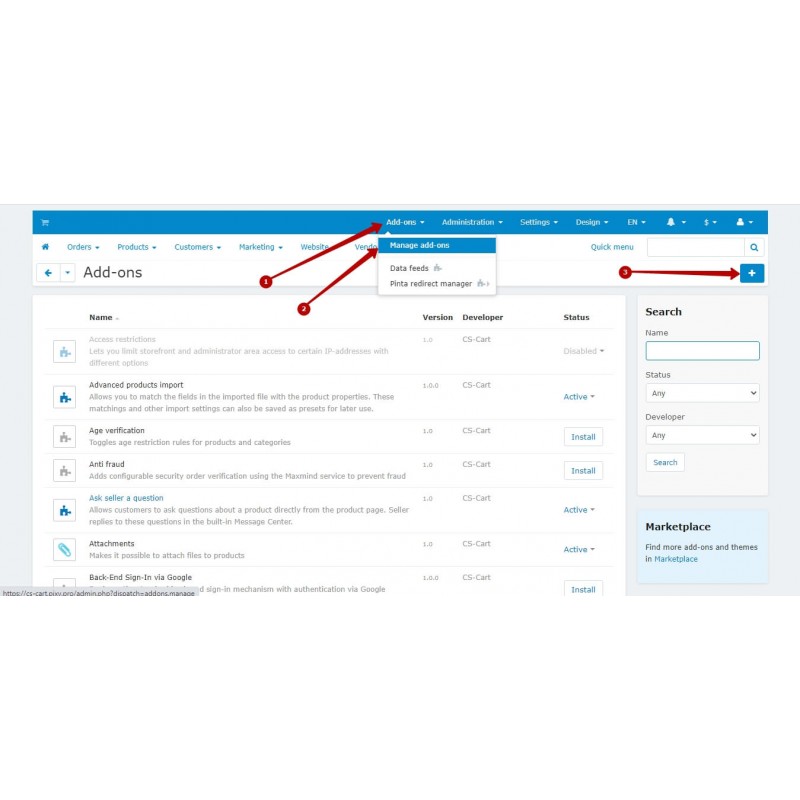
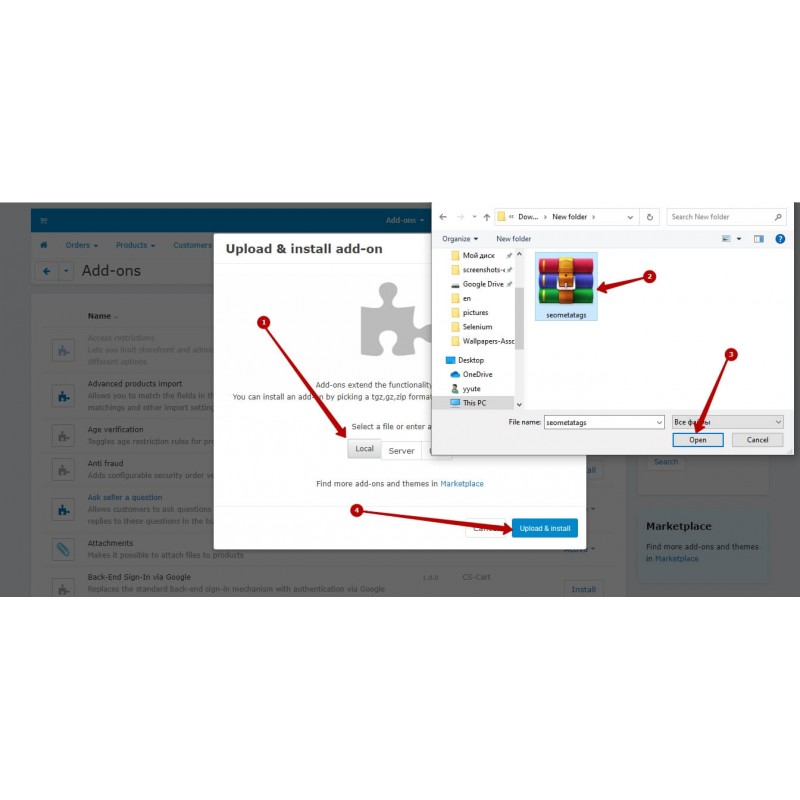
1. Install seometatags.zip via Add-ons > Manage add-ons > "+" > Local.
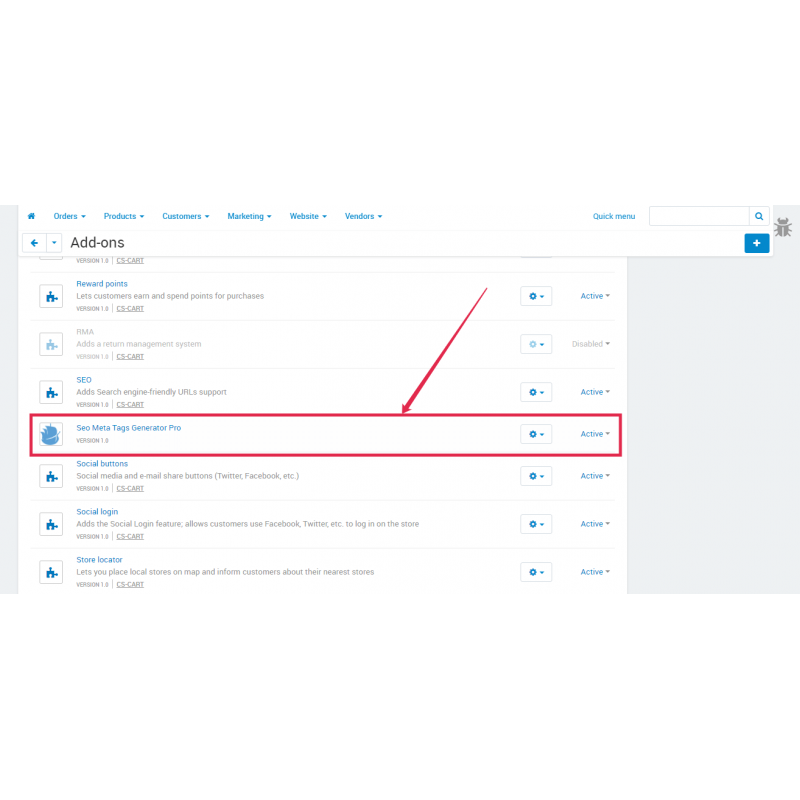
2. Open Add-ons → SEO Meta Tags Generator Pro → Settings.
3. Define your template strings for product, category and content pages using the token variables below.
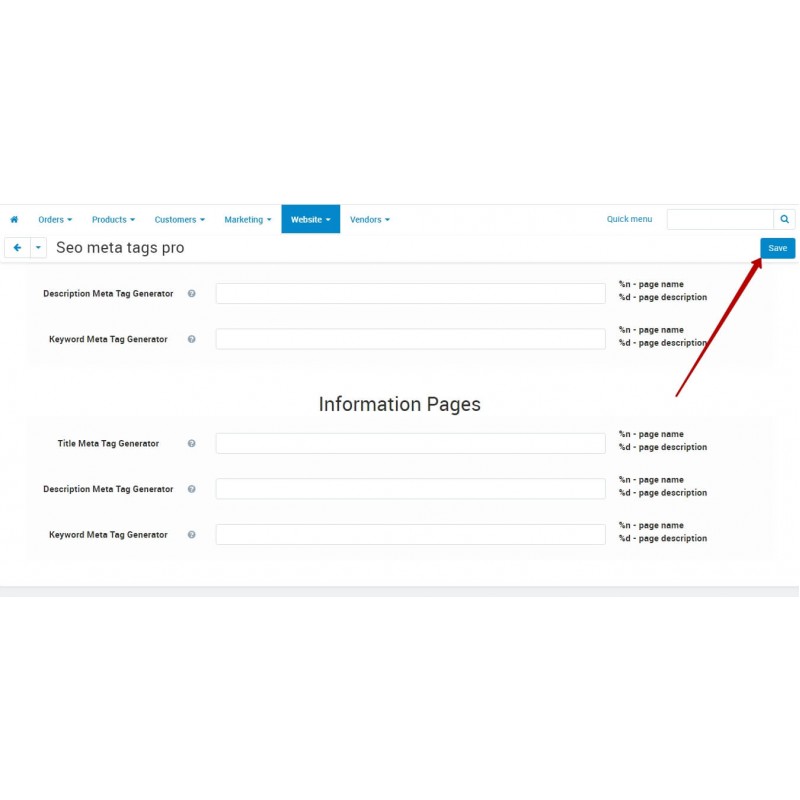
4. Save. Title, meta description and meta keywords are now generated automatically across the storefront at render time.
Video Instructions
What's new
1.3.10 — Empty-only check now reads the entity's stored meta — consistent on CS-Cart 4.12–4.20.
1.3.9 — %$ no longer puts a space between the amount and the currency symbol.
1.3.8 — Fixed %$ currency conversion for non-primary currencies.
1.3.7 — Out-of-the-box default keyword templates + comma tidy-up on empty tokens.
1.3.6 — %$ shows the price in the visitor's selected currency with its symbol.
Our Reviews
Related Products
-600x600.jpg "Rich Snippet for CS-Cart: Optimize SEO with Structured Data")
Rich Snippet for CS-Cart: Optimize SEO with Structured Data
$43.00
Ex Tax:$43.00
-600x600.jpg "Request History PRO (Contact Form History) for CS-Cart")
Request History PRO (Contact Form History) for CS-Cart
$20.00
$60.00
Ex Tax:$20.00
%20eng-600x600.jpg "SMS Notifications for CS-Cart: Simplify Communication")
SMS Notifications for CS-Cart: Simplify Communication
$45.00
$90.00
Ex Tax:$45.00
$60.00
Ex Tax:$60.00
-600x600.jpg "Ajax Live Search for CS-Cart")
$35.00
$70.00
Ex Tax:$35.00
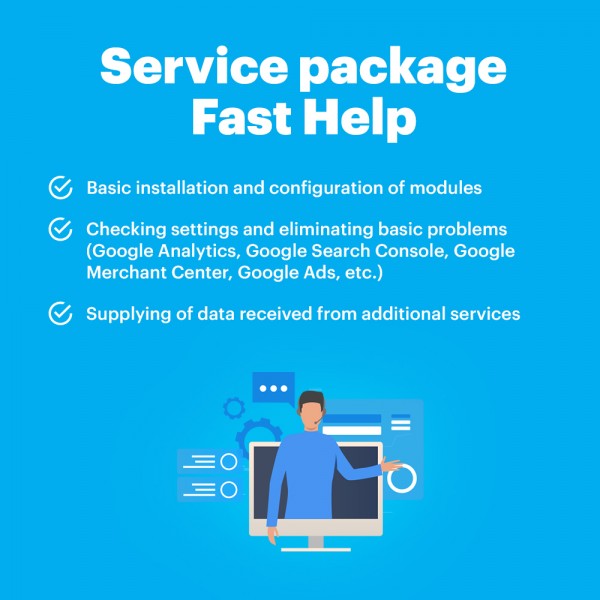
Package Service Fast help in an hour
$30.00
Ex Tax:$30.00