-800x800.jpg "Messenger Buttons for CS-Cart Enhance Customer Communication")





.png)
 Overview:
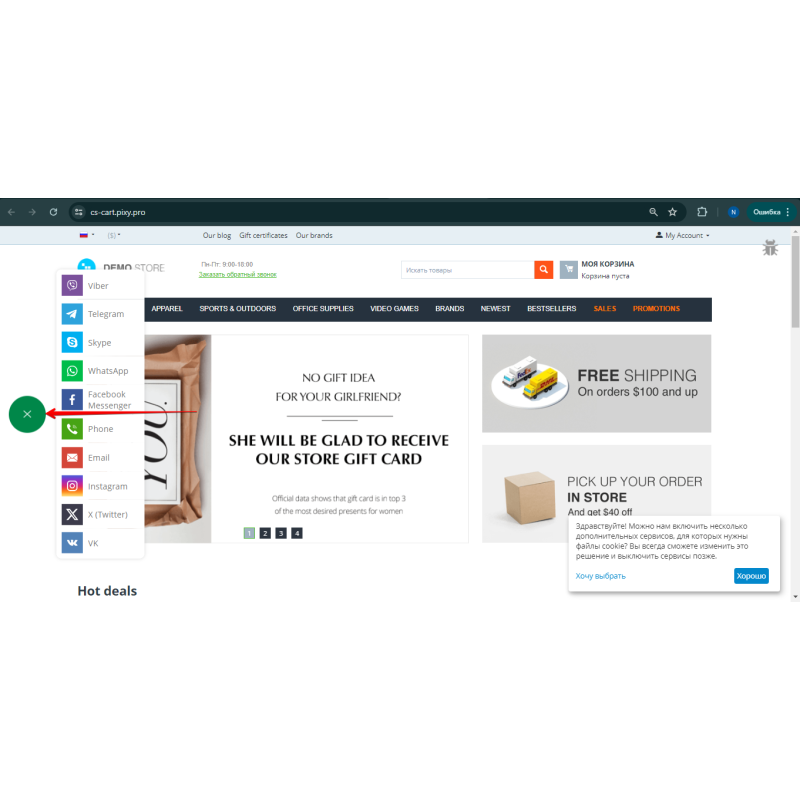
Messenger Button adds a sticky floating widget to your CS-Cart storefront — a stack of icons or a single collapsible toggle — that takes customers straight into a chat with you in the right messenger. Customers do not hunt for contact details or leave the page: they tap an icon and keep talking in the app they already use, optionally with a pre-filled first message.
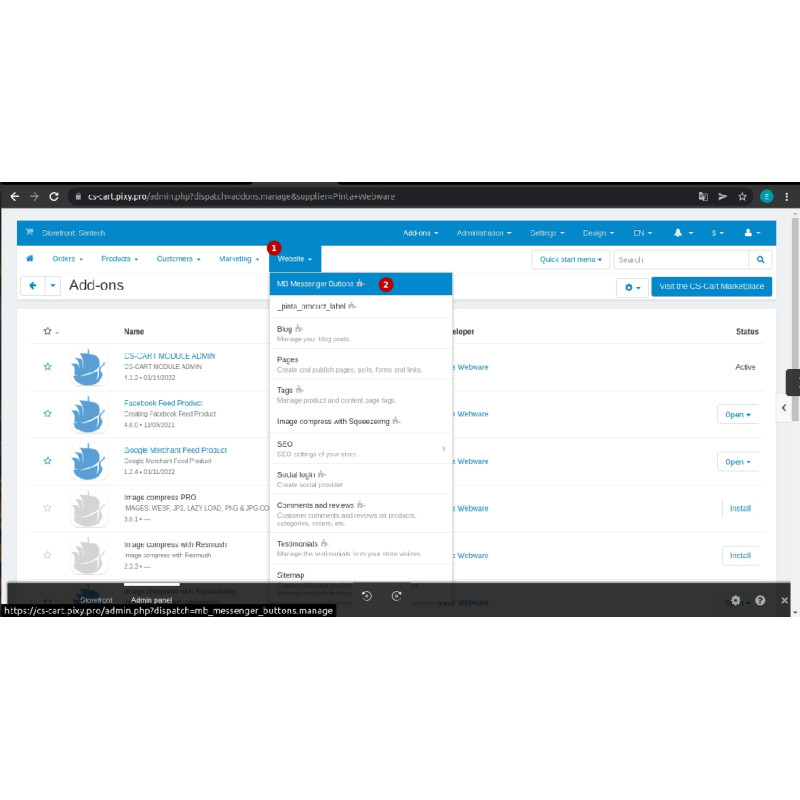
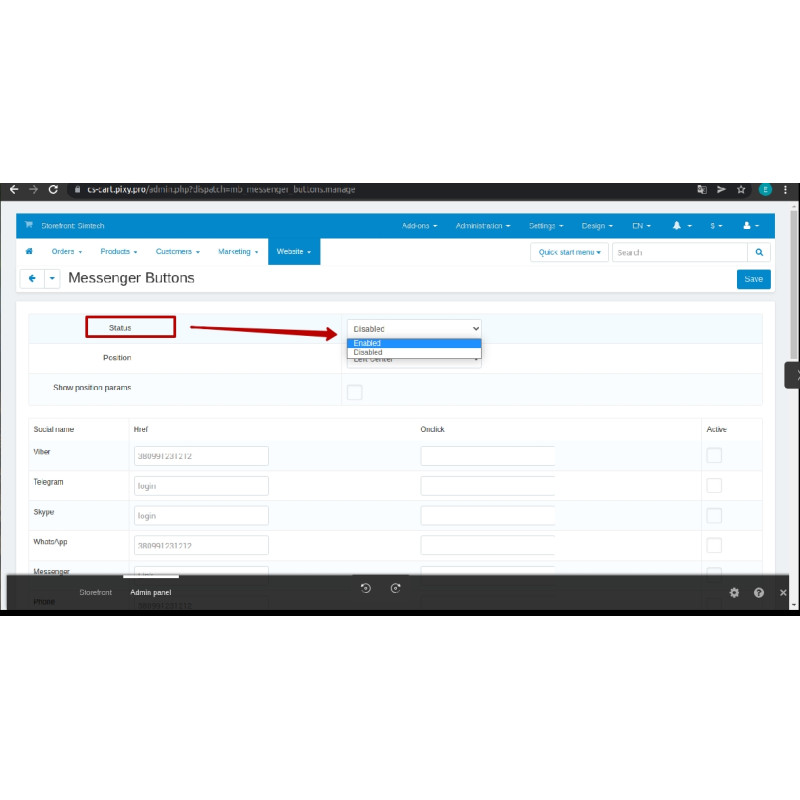
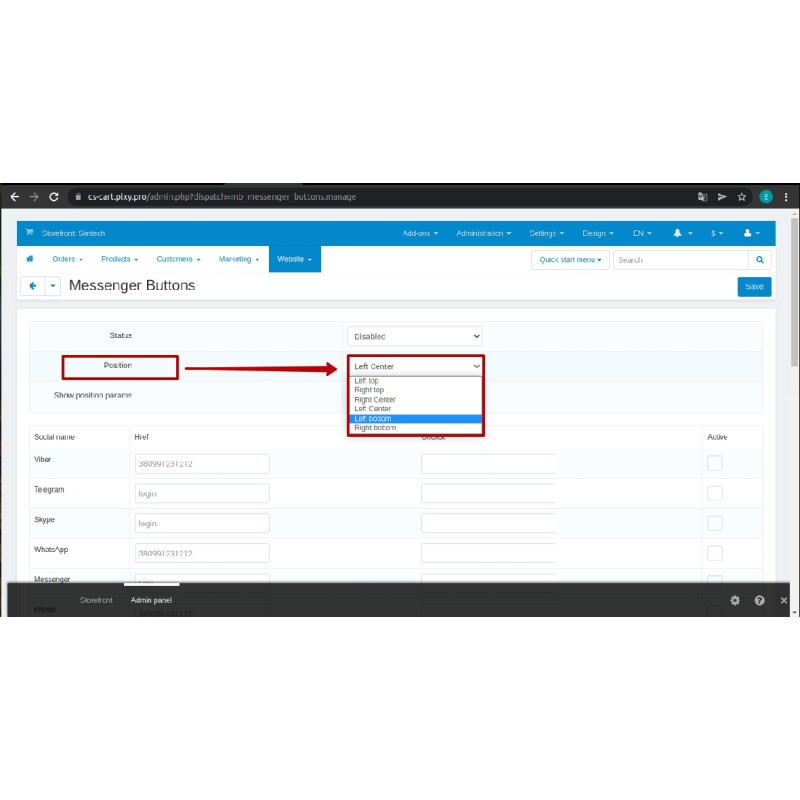
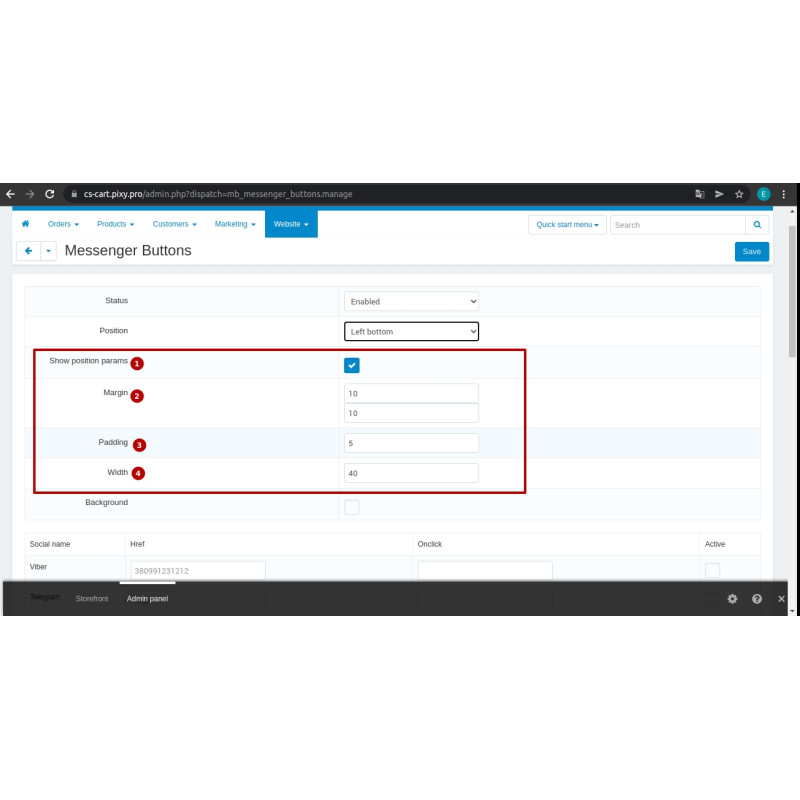
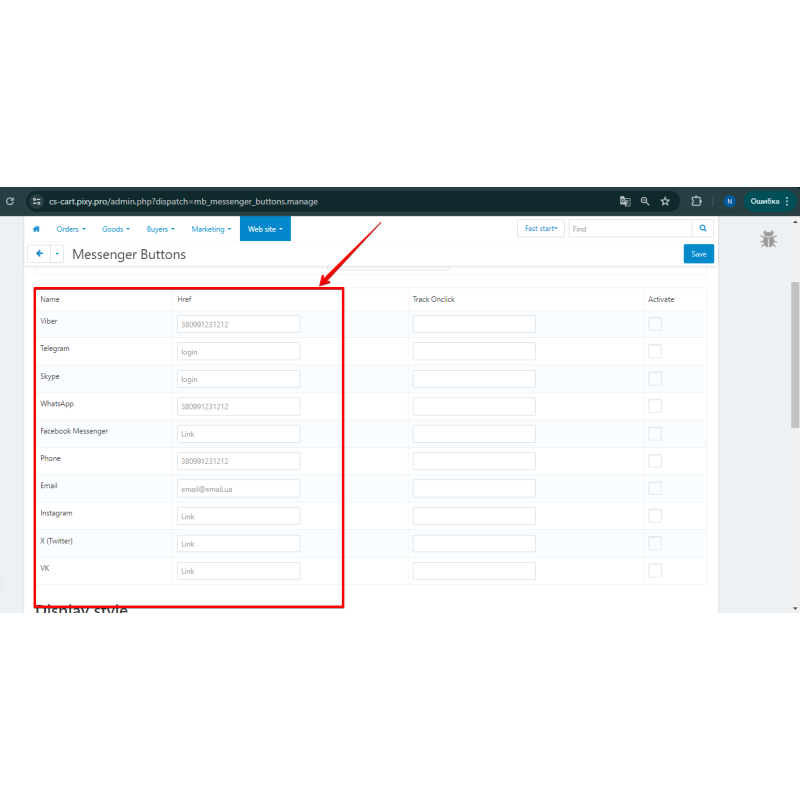
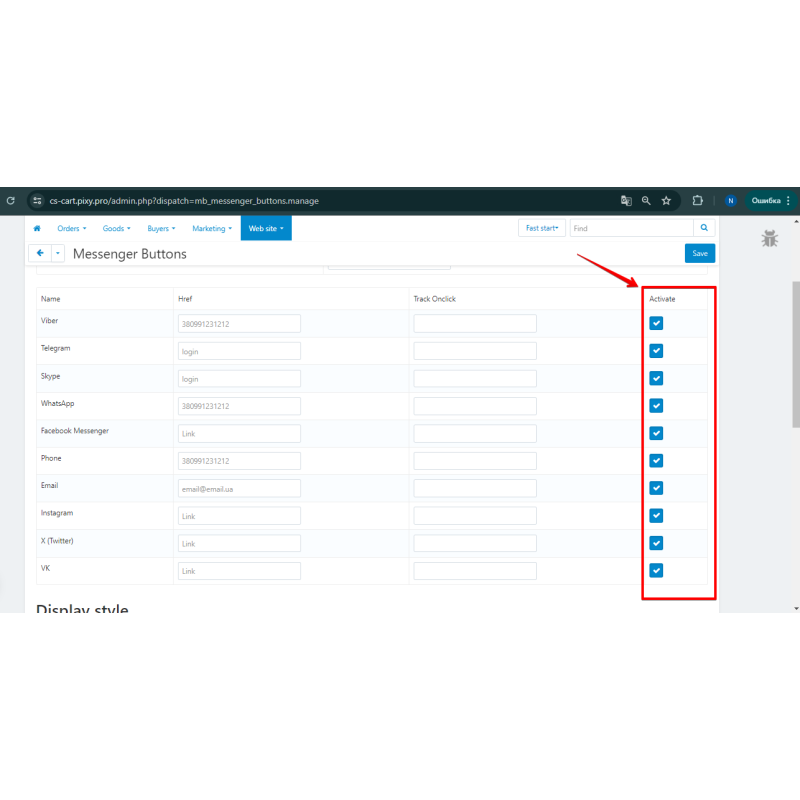
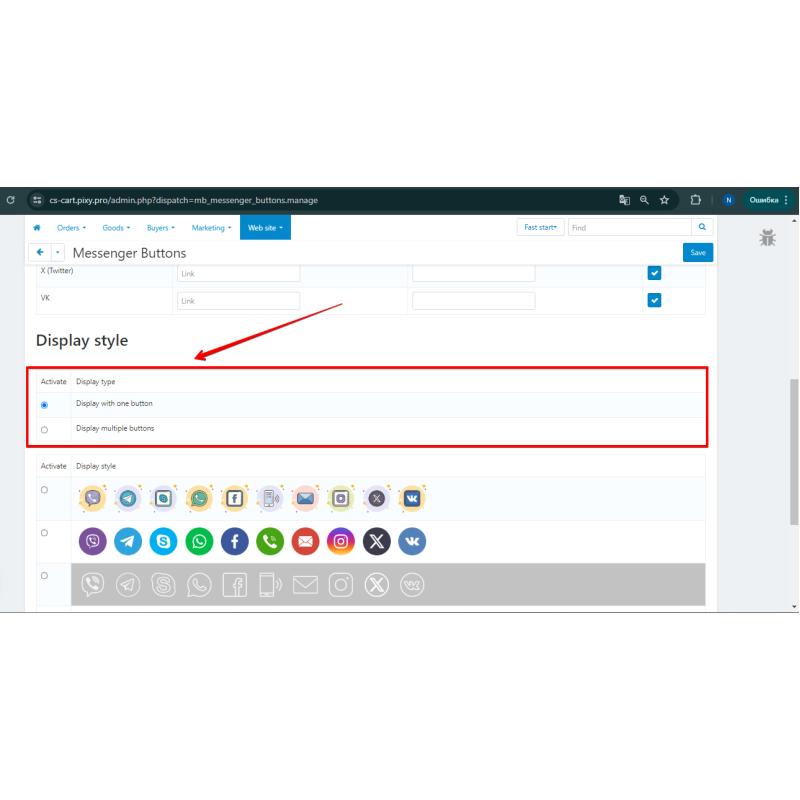
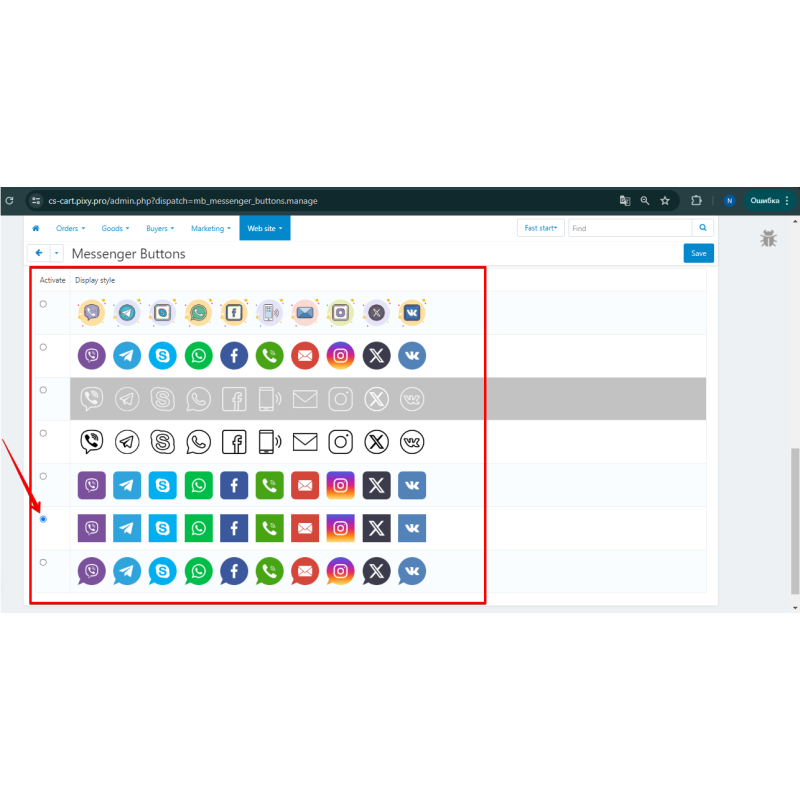
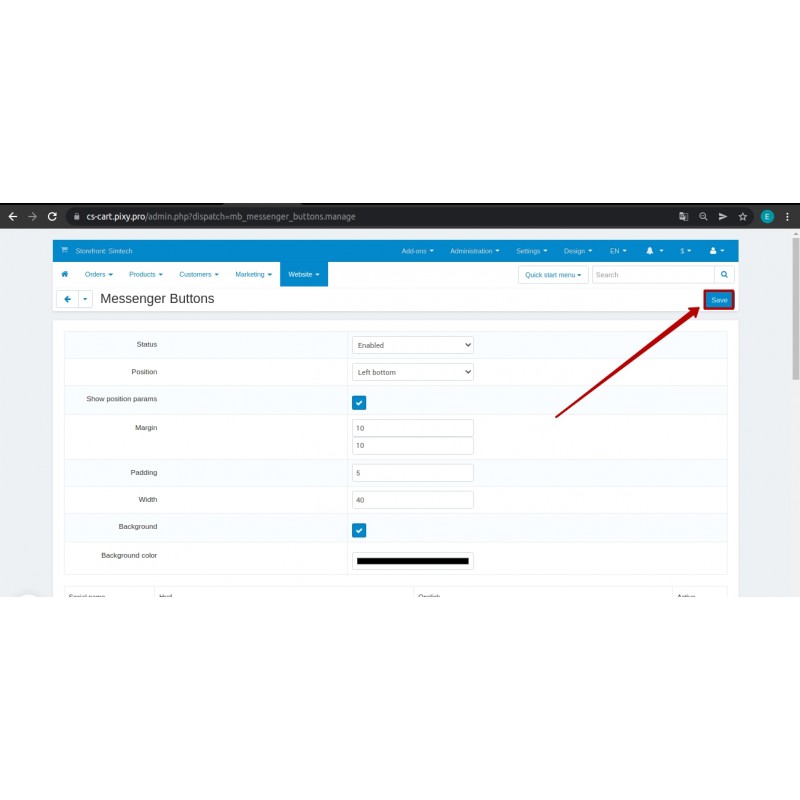
The module is configured from the CS-Cart admin panel (Website → Messenger Buttons → Setting). Enable the channels you need, enter the number/handle/link for each, optionally set a prefilled message, and pick the style, position and look. No template editing required.
Supported channels:
Viber, Telegram, Teams, WhatsApp, Facebook Messenger, Phone, Email, Instagram, X (Twitter), VK, TikTok, Line, SMS.
Key features
- Floating widget: a stack of buttons or a single collapsible toggle.
- One tap opens a chat with your account in the chosen messenger.
- Prefilled first message for WhatsApp, Telegram, SMS and Messenger (URL-encoded automatically).
- 6 position presets, icon style choice, width, margin/padding and background color.
- Separate desktop and mobile visibility (device detected by User-Agent).
- Security: URL-scheme allowlist, output escaping, javascript:/data: blocking, the onclick field removed as an XSS vector, POST required for the settings update.
Installation Instructions
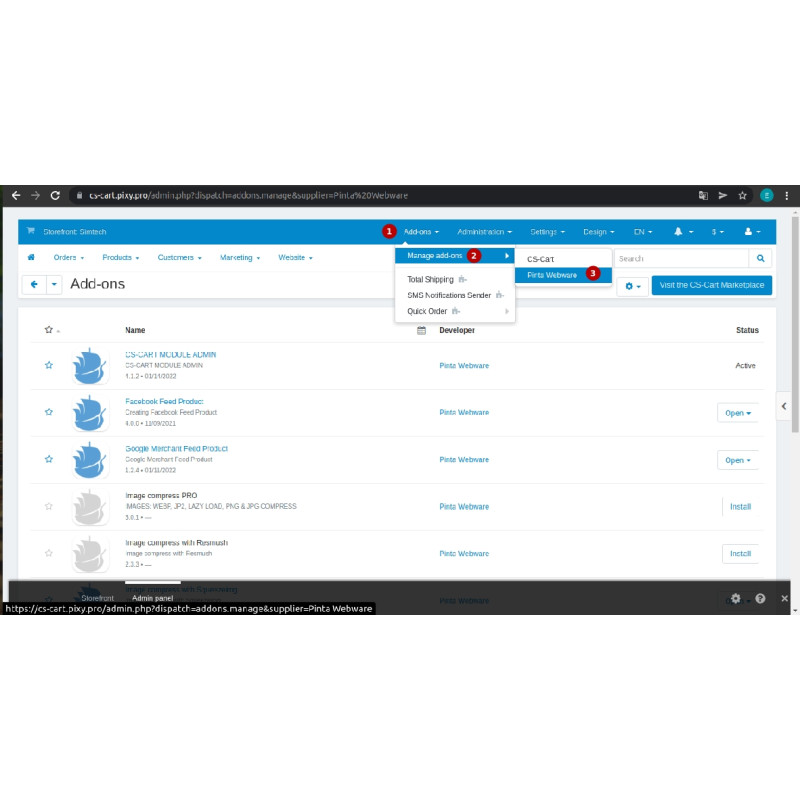
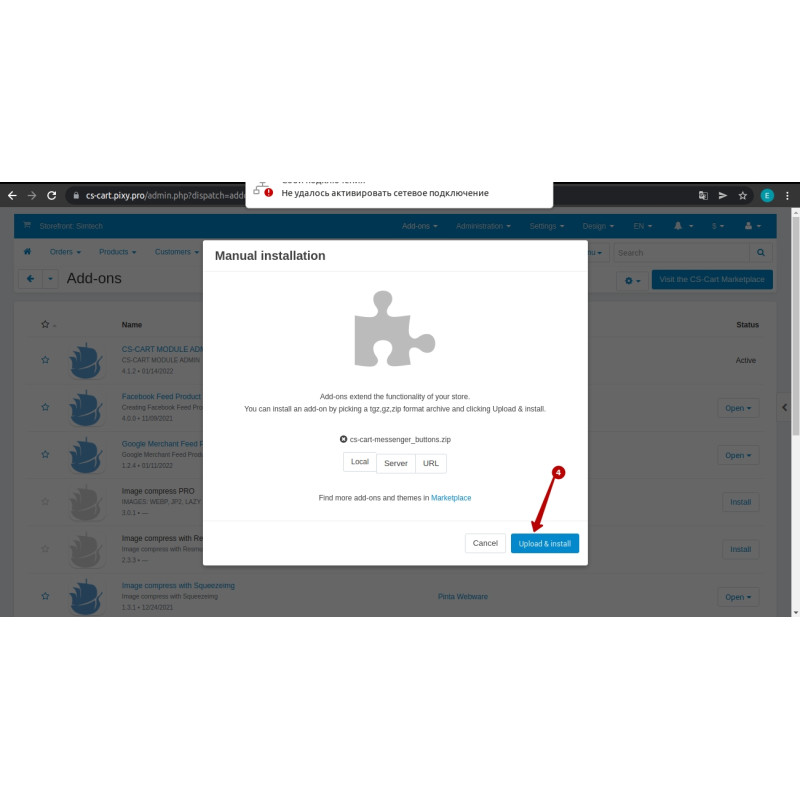
1. Upload the cs-cart-messenger_buttons.zip archive via the admin panel: Add-ons > Manage add-ons
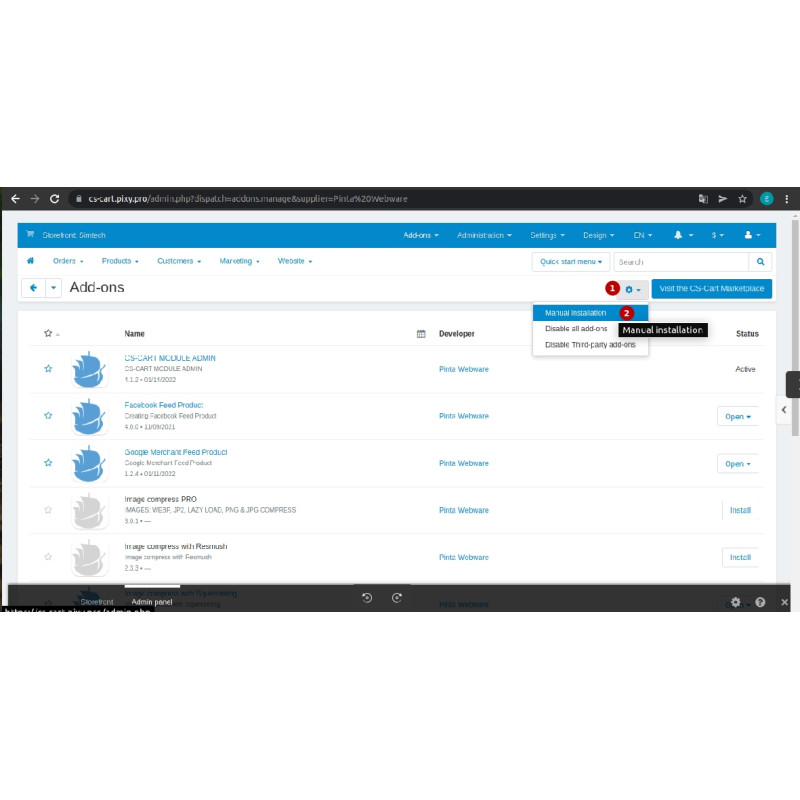
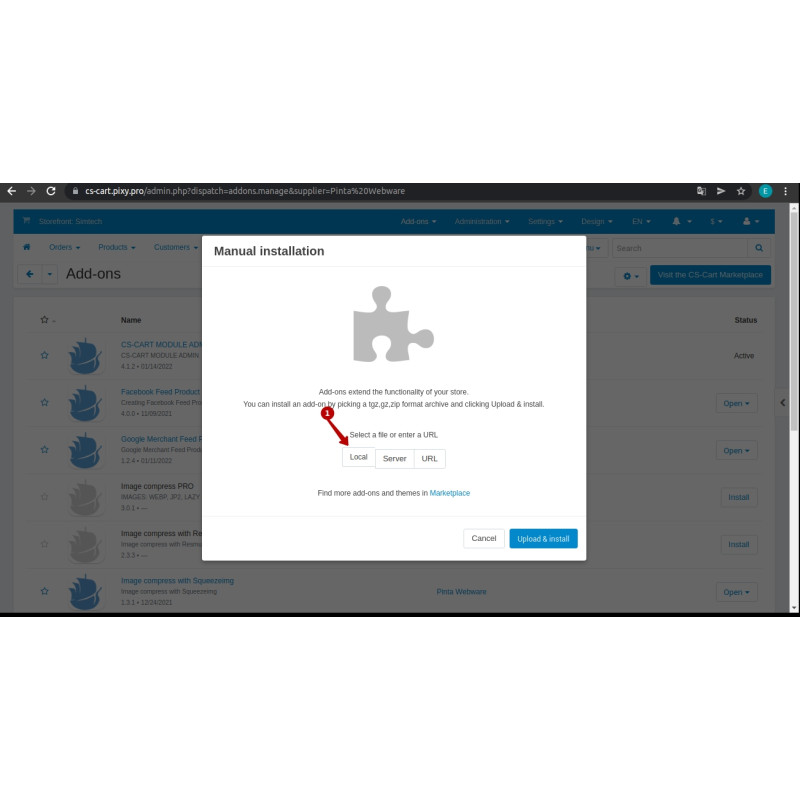
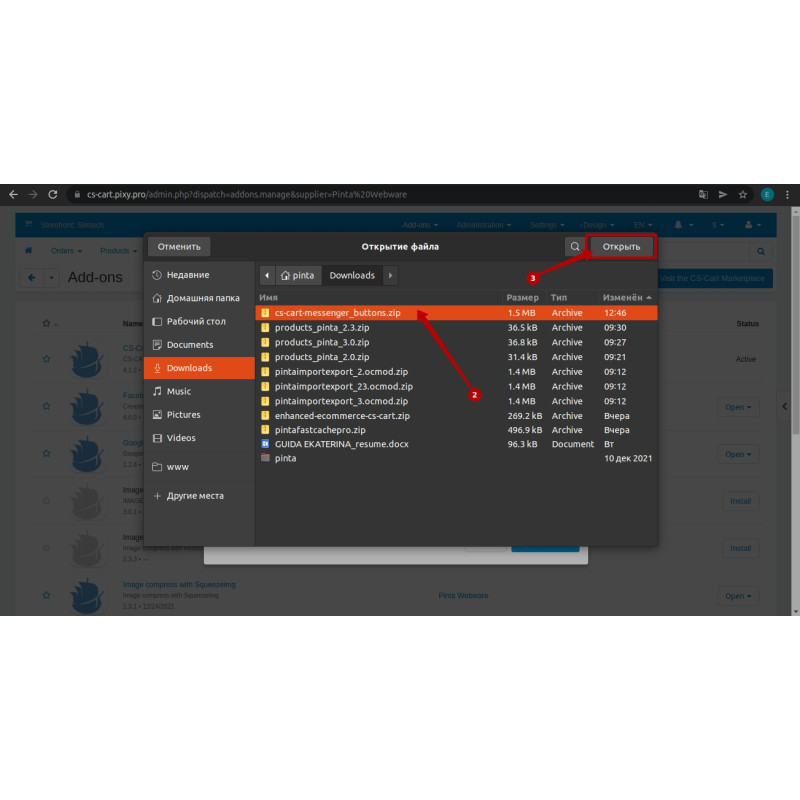
2. Click the Upload & install add-on button and select the downloaded file
3. Now you can configure and use the module in the Website → Messenger Buttons → Setting menu
Video Instructions
What's new
2.5.1 — Shrank the floating single-button toggle on mobile (≤767px) from 70px to 50px (with proportionally smaller expanded icons/labels) so it no longer looks oversized on phones.
2.5.0 — Social-profile channels (TikTok, Instagram, X/Twitter, VK, Facebook Messenger) now build an absolute URL from the entered handle; Telegram switched to https://t.me/; a leading @ is stripped; the "Teams" channel was renamed from the internal code skype to teams with a read-time migration of saved data; admin placeholders refreshed; a subtle hover effect added to the icons.
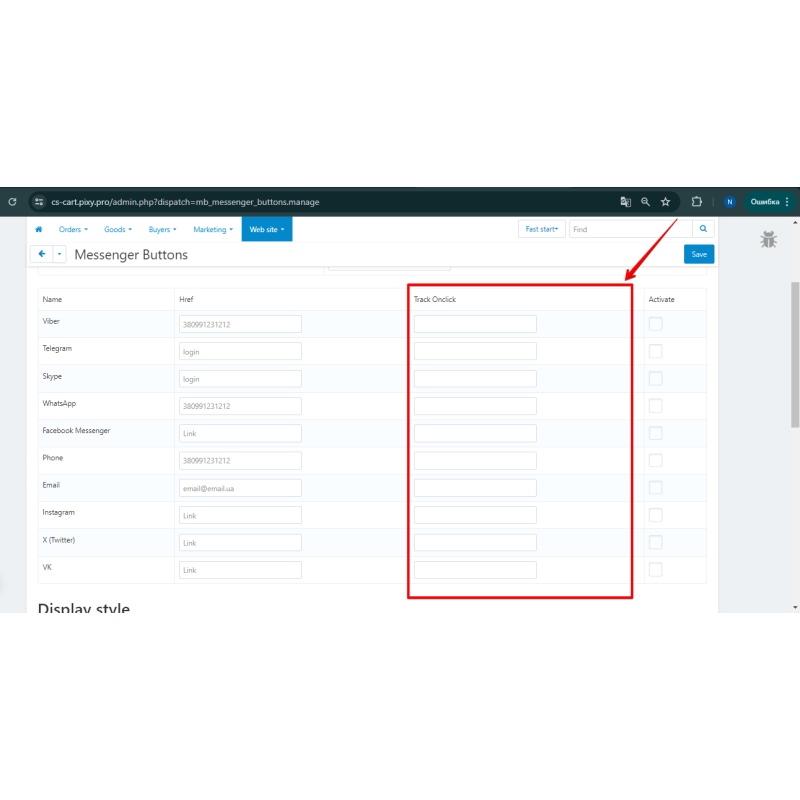
2.4.0 — New channels: TikTok, Line, SMS (sms: scheme allow-listed); added a per-channel "Prefilled text" option for WhatsApp, Telegram, SMS and Messenger; the admin "Onclick" column was replaced with "Prefilled text"; rebuilt the install archive.
2.3.1 — Security: hardened the URL-scheme check against control-char bypass — mb_safe_href() now strips control characters and whitespace before the scheme test, so java\tscript:, jav\0ascript: and javascript: variants are rejected.
2.3.0 — Expanded the channel set and storefront settings (the base for the later 2.3.1+ releases).
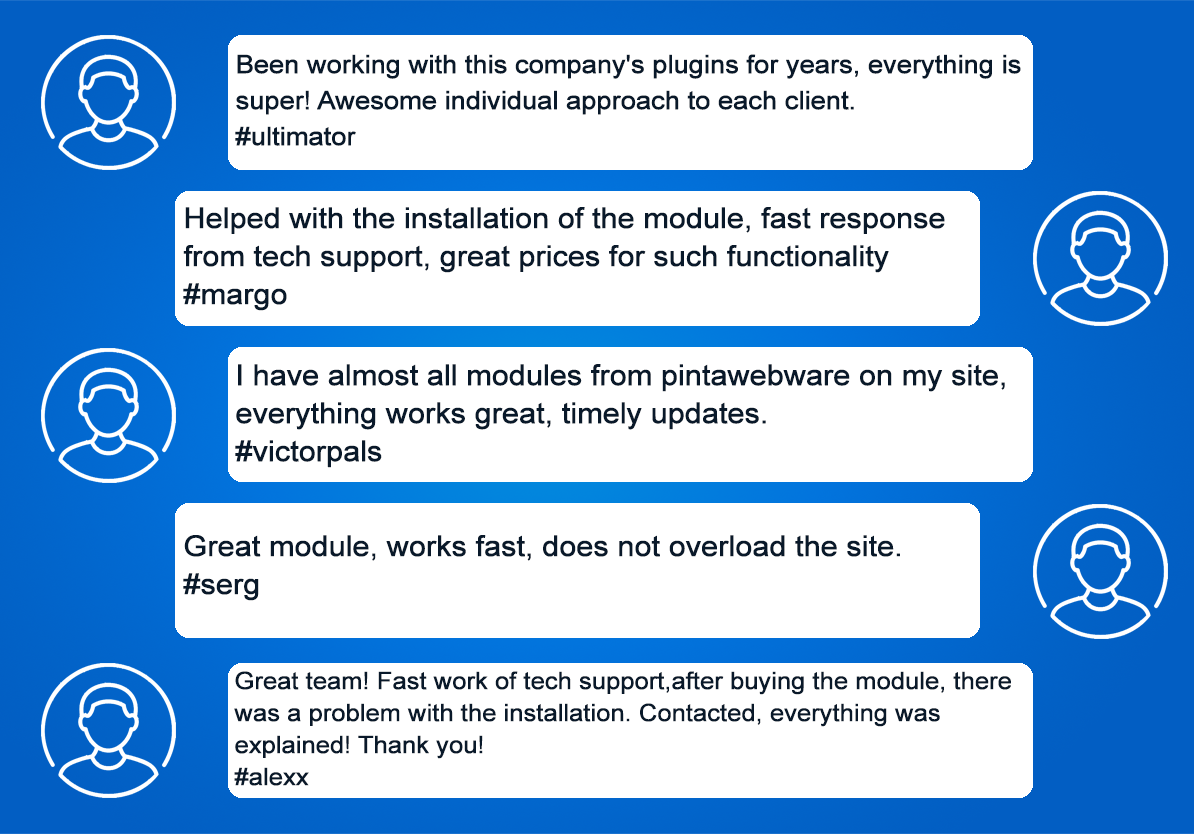
Our Reviews
Related Products
-600x600.jpg "Google Merchant Shopping Feeds for CS-Cart - Boost Your Product Ads")
Google Merchant Shopping Feeds for CS-Cart - Boost Your Product Ads
$65.00
$120.00
Ex Tax:$65.00
-600x600.jpg "Redirect URLs Manager - 301, 302, 307 and 404 SEO optimizer for CS-cart")
Redirect URLs Manager - 301, 302, 307 and 404 SEO optimizer for CS-cart
$29.99
$50.00
Ex Tax:$29.99
$60.00
Ex Tax:$60.00
-600x600.jpg "Quick Order Form for CS-Cart: Easy Buying in One Click")
Quick Order Form for CS-Cart: Easy Buying in One Click
$25.00
$75.00
Ex Tax:$25.00
-600x600.jpg "Page Preloader with Progress Bar and Animated Loader for CS-Cart")
Page Preloader with Progress Bar and Animated Loader for CS-Cart
$10.00
Ex Tax:$10.00
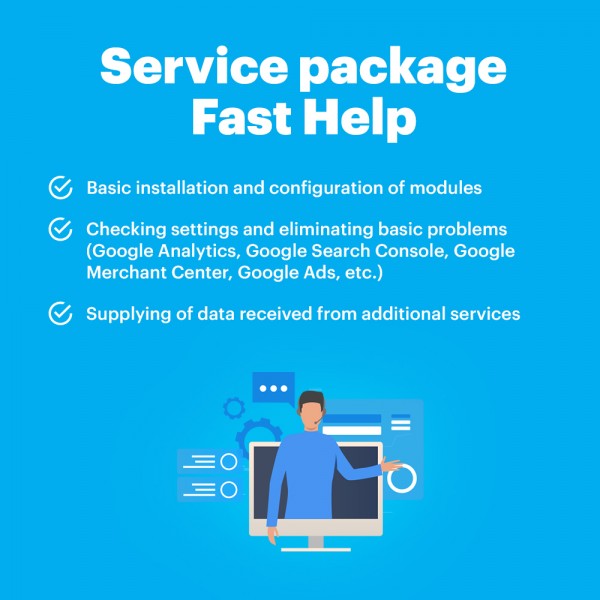
Package Service Fast help in an hour
$30.00
Ex Tax:$30.00